Building an LTE Fallback for My Flaky FTTC with a $45 ZTE MF286D and OpenWrt
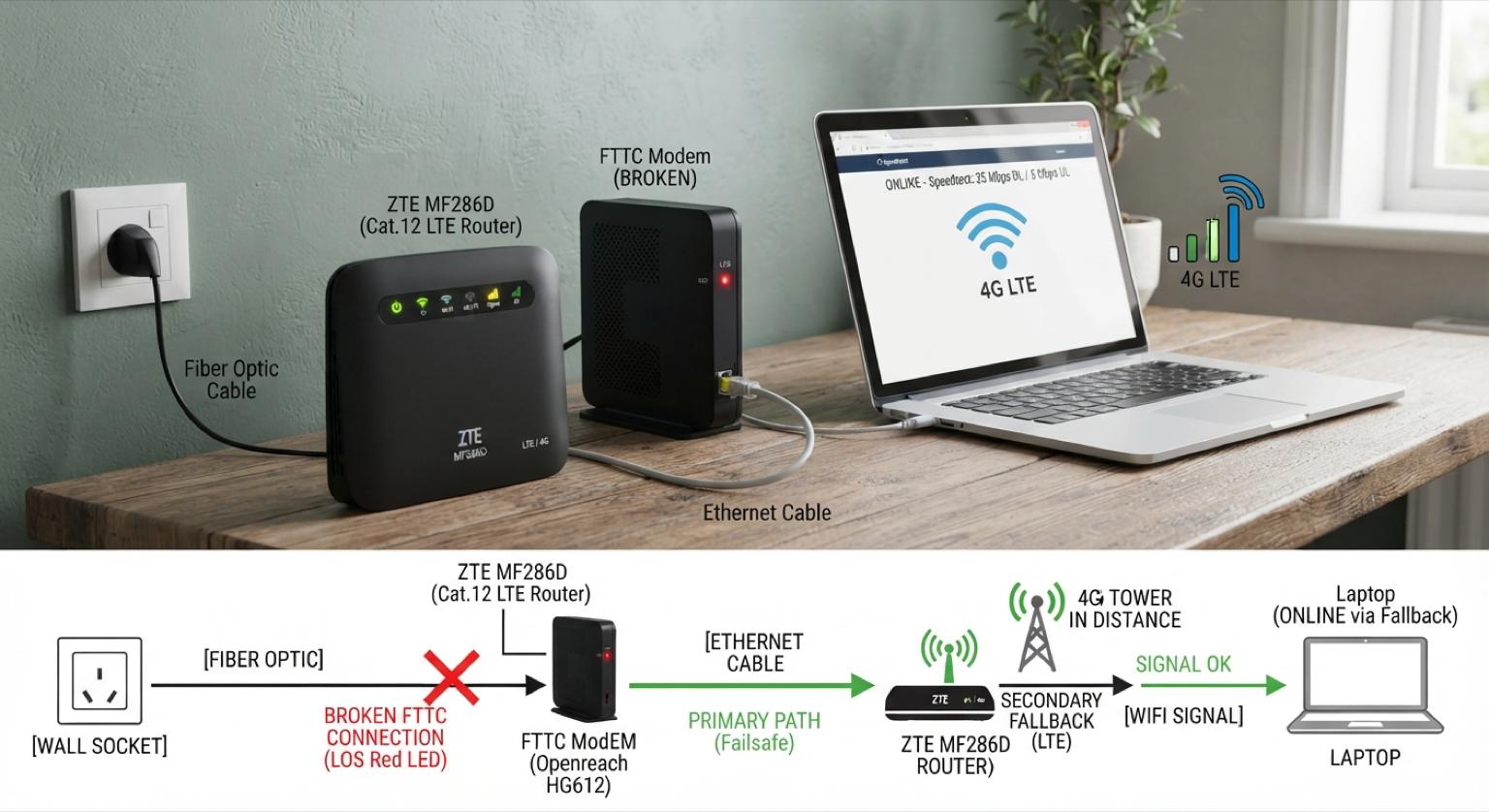
Table of Contents
- Why a Fallback at All
- Picking the Hardware
- Flashing OpenWrt
- The LTE Interface: qmi and the Vodafone APN
- Multi-WAN with mwan3
- An Emergency Wi-Fi AP
- The LuCI Dashboard, in Practice
- Conclusion
- Reflections
Here we are. In Italy, and we all know how it goes: it works today, tomorrow who knows.
Why a Fallback at All
I live in the countryside outside town, more farmland than periphery really, so I already count myself lucky to have FTTC at all. Mine is saturated and picks up crosstalk (diafonia) from neighboring pairs, which means the sync rate wanders and, every so often, the line just drops for hours.
Before getting annoyed by yet another long outage, I told myself: let’s get a fallback in place. Not a full dual-WAN load-balanced fiber setup, just something that keeps the house online (video calls, a few IoT bits, the odd remote session) when the FTTC modem gives up.
Picking the Hardware
The requirements were simple:
- Small, not another box that needs its own shelf
- Easy to find, not an obscure carrier-locked import
- Flashable with a real firmware, not the ISP’s stock one, which is usually a colander of half-patched CVEs
That last point mattered most. Stock ISP firmware on LTE CPE devices is rarely maintained, and I wasn’t going to trust my fallback path to whatever Vodafone or TIM shipped three firmware branches ago.
A bit of searching landed me on the ZTE MF286D OpenWrt page. It ticked every box: cheap (I paid 45 euros for it new), no 5G (fine, I don’t need it for a fallback link), and well documented and supported by the OpenWrt community. Worth noting: its siblings and regional variants (different MF286 letters and revisions) are not nearly as well supported, some not at all. The exact model matters here.
Flashing OpenWrt
The device shipped with a QCA IPQ40xx SoC, ARMv7, which OpenWrt targets under ipq40xx/generic. I followed the ToH page’s flashing instructions and landed on an OpenWrt snapshot build with LuCI Master:
Modello: ZTE MF286D
Piattaforma di destinazione: ipq40xx/generic
Versione del firmware: OpenWrt SNAPSHOT r31617-677c5c3b0d / LuCi Master 25.299.27375~a365517
Versione del kernel: 6.12.55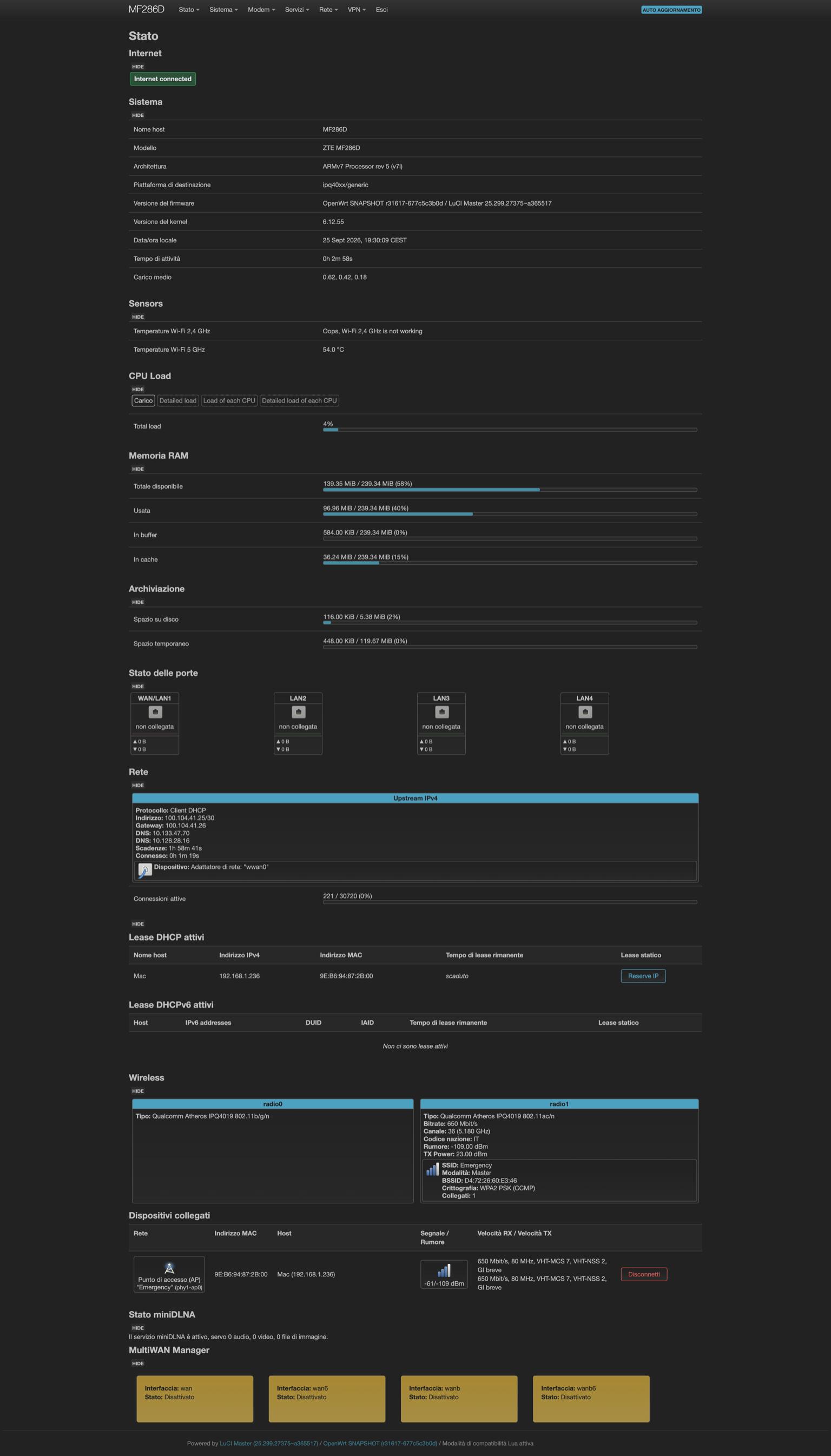
Once OpenWrt was on, the built-in modem packages (modemband, modemdata) took over talking to the internal ZTE LTE module over /dev/ttyUSB1 and /dev/cdc-wdm0, exposing signal, SIM, and cell info straight in LuCI instead of behind a vendor web UI.
The LTE Interface: qmi and the Vodafone APN
The modem attaches as a QMI device, so the WAN interface in /etc/config/network is just this:
config interface 'wwan'
	option proto 'qmi'
	option apn 'mobile.vodafone.it'
	option auth 'none'
	option pdptype 'ipv4'
	option device '/dev/cdc-wdm0'
	option pincode 'XXXX'
	option delay '20'
	option ipv6 '0'
The SIM is a 50GB Vodafone data plan, bundled for a few euros on top of the primary fiber line, which made the whole exercise cheap end to end: 45 euros of hardware plus a data plan I was already half-paying for. delay 20 gives the modem time to register on the network before OpenWrt tries to bring the interface up, which matters more than it sounds on cold boot.
Signal and registration show up live in LuCI:
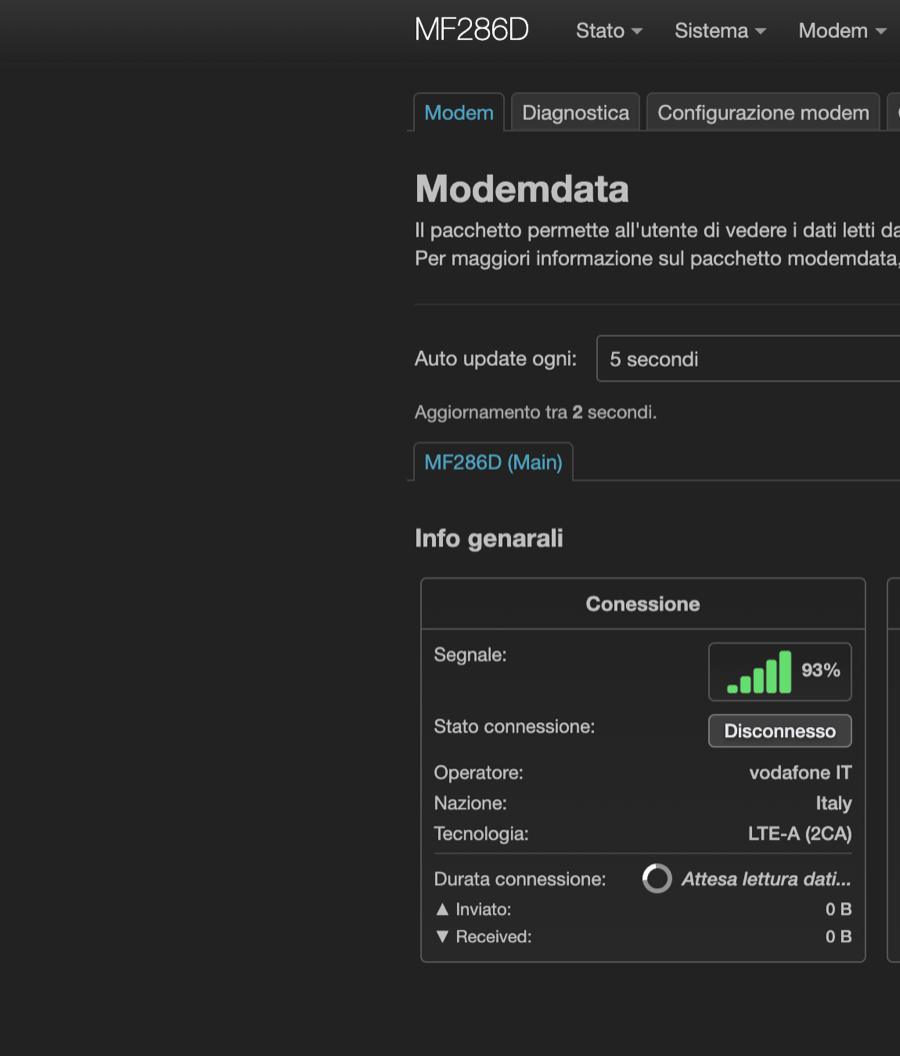
93% signal and LTE-A with carrier aggregation (2CA) on a rural cell, not bad for a fallback link that only needs to carry the essentials.
Multi-WAN with mwan3
This is the part that actually makes the fallback work. mwan3 sits between the two WAN interfaces (wan, the FTTC, and wanb, the LTE) and decides where traffic goes based on live reachability checks:
config interface 'wan'
	option enabled '1'
	list track_ip '1.0.0.1'
	list track_ip '1.1.1.1'
	list track_ip '208.67.222.222'
	list track_ip '208.67.220.220'
	option family 'ipv4'
	option reliability '2'

config member 'wan_m1_w3'
	option interface 'wan'
	option metric '1'
	option weight '3'

config member 'wanb_m1_w2'
	option interface 'wanb'
	option metric '1'
	option weight '2'

config policy 'balanced'
	list use_member 'wan_m1_w3'
	list use_member 'wanb_m1_w3'
	list use_member 'wan6_m1_w3'
	list use_member 'wanb6_m1_w3'

config rule 'default_rule_v4'
	option dest_ip '0.0.0.0/0'
	option use_policy 'balanced'
	option family 'ipv4'
mwan3 pings Cloudflare and OpenDNS resolvers on both links, and reliability '2' means it needs two of the four to answer before it trusts an interface as up. The balanced policy weights the fiber link higher (weight 3 vs 2) so LTE only picks up meaningful traffic once the FTTC starts failing its health checks, not on every packet.
I also added a sticky rule for HTTPS traffic:
config rule 'https'
	option sticky '1'
	option dest_port '443'
	option proto 'tcp'
	option use_policy 'balanced'
sticky keeps an established TCP session pinned to whichever WAN it started on, so a failover mid-download doesn’t reset every open connection at once, just the new ones.
An Emergency Wi-Fi AP
One small touch: a second SSID on the 5GHz radio, separate from the main LAN network, named plainly enough that anyone in the house knows what it’s for when the primary Wi-Fi disappears along with the FTTC:
config wifi-iface 'wifinet2'
	option device 'radio1'
	option mode 'ap'
	option ssid 'Emergency'
	option encryption 'psk2'
	option key 'REDACTED'
	option network 'lan wwan_4'
It bridges into the same lan network, so devices don’t need to change anything except which SSID they join. Password obviously redacted above, don’t go looking for it on the actual AP.
The LuCI Dashboard, in Practice
With everything wired up, the OpenWrt status page gives a single view of both links, DHCP leases, and the multiwan manager state at a glance, useful for a two-second check when someone in the house asks “is the internet down again?”.
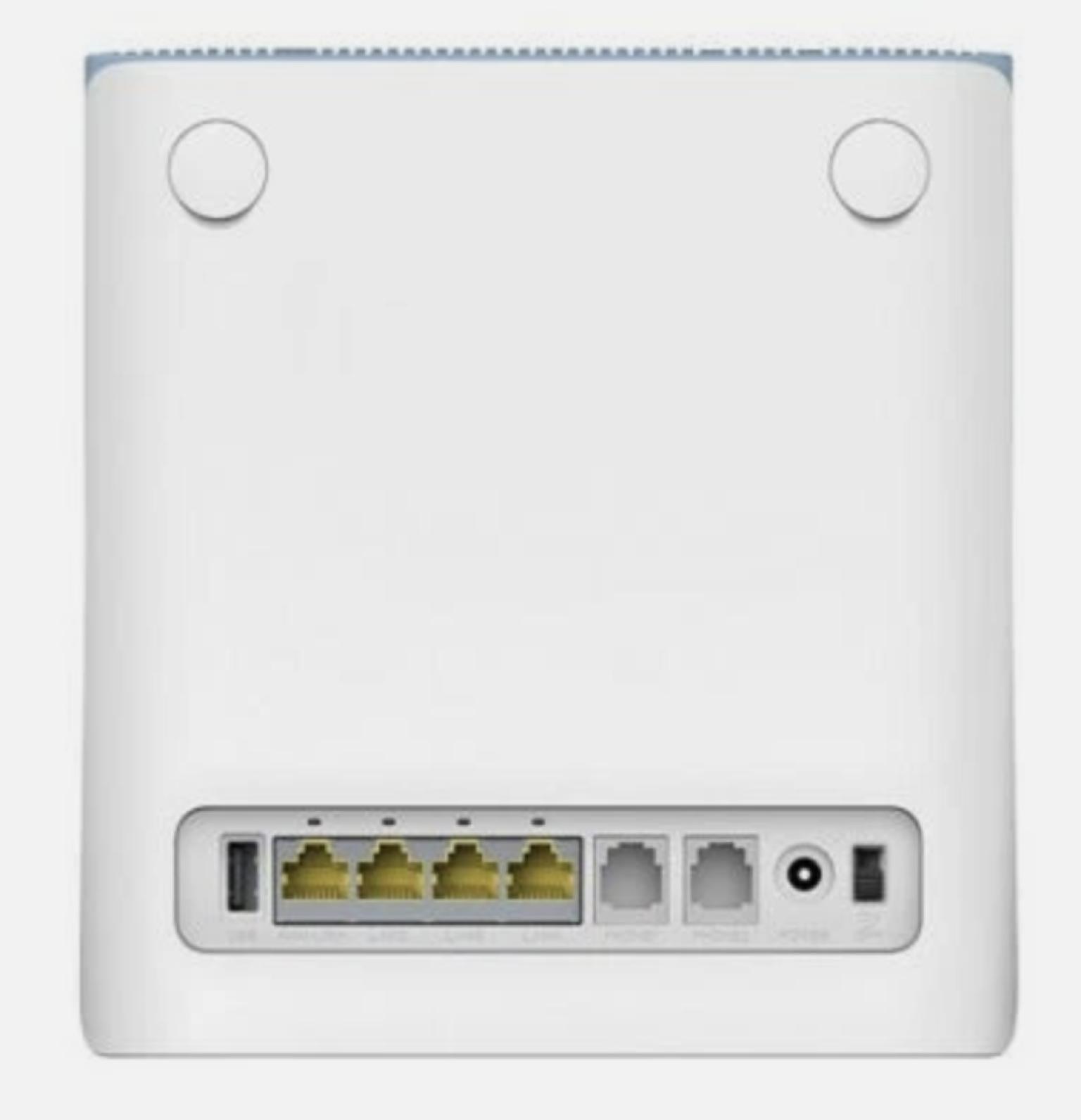
The device itself is unassuming: four gigabit LAN ports, a USB port, two phone jacks (unused here), and the LTE modem built in, no external antenna needed for a rural cell at 93% signal.
Conclusion
Total cost: 45 euros for the router plus a data SIM I already had bundled on the primary line. In exchange, a fiber outage that used to mean “no internet until the technician shows up” now means “browsing feels a bit slower for a while.” mwan3 handles the failover automatically, health-checking both links and shifting traffic without anyone touching a cable. The MF286D’s OpenWrt support made this a weekend project instead of a fight against locked-down vendor firmware.
Reflections
What’s still missing: I haven’t set up any alerting for when mwan3 actually fails over, so right now I only find out by noticing the connection feels different. A small Prometheus exporter polling mwan3’s status and pushing to the same Grafana stack I use elsewhere is the obvious next step. I also haven’t load-tested how the 50GB LTE cap holds up if the FTTC stays down for a full day, that’s a real risk with a family streaming on the fallback link, and one I’d rather discover in a test than during an actual outage.