Terraform Your Free Cloudflare Account

Introduction
Cloudflare provides a solid free tier. What sets it apart from competitors like Akamai or Incapsula isn’t just the price — it’s the API support and native Terraform provider. Everything you can click in the dashboard, you can manage in code.
This article walks through automating a complete Cloudflare account: DNS records, page rules, security settings, and zone configuration — all in Terraform, all in Git.
Setup
1. Authentication
Grab your API key from the Cloudflare portal:

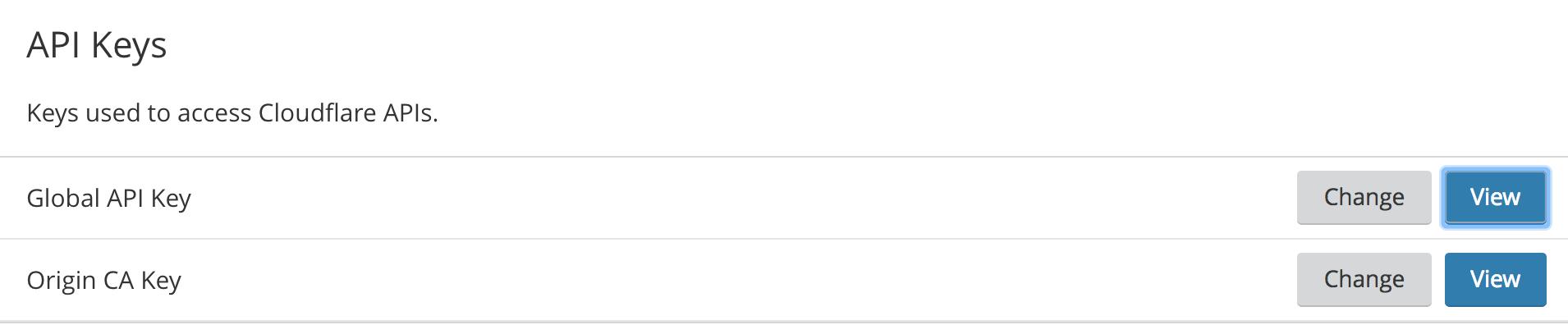
Create cloudflare-auth.tf:
provider "cloudflare" {
  email   = var.cloudflare_email
  api_key = var.cloudflare_api_key
}

variable "cloudflare_email" {}
variable "cloudflare_api_key" {}
Then:
terraform init2. Domain Configuration
cloudflare_domains.tf:
variable "domain" {
  default = "k8s.it"
}
3. DNS Records
cloudflare_dns.tf:
resource "cloudflare_record" "www" {
  zone_id = var.zone_id
  name    = "www"
  value   = "k8s.it"
  type    = "CNAME"
  proxied = true
}

resource "cloudflare_record" "services" {
  zone_id = var.zone_id
  name    = "services"
  value   = "k8s.it"
  type    = "CNAME"
  proxied = true
}

resource "cloudflare_record" "smtp" {
  zone_id = var.zone_id
  name    = "smtp"
  value   = "1.2.3.4"
  type    = "A"
  proxied = false
}

resource "cloudflare_record" "mx" {
  zone_id  = var.zone_id
  name     = "k8s.it"
  value    = "mail.k8s.it"
  type     = "MX"
  priority = 10
}

resource "cloudflare_record" "spf" {
  zone_id = var.zone_id
  name    = "k8s.it"
  value   = "v=spf1 mx ~all"
  type    = "TXT"
}
4. Page Rules
cloudflare_rules.tf — enforce HTTPS:
resource "cloudflare_page_rule" "https_redirect" {
  zone_id  = var.zone_id
  target   = "http://k8s.it/*"
  priority = 1

  actions {
    always_use_https = true
  }
}

resource "cloudflare_page_rule" "www_https_redirect" {
  zone_id  = var.zone_id
  target   = "http://www.k8s.it/*"
  priority = 2

  actions {
    always_use_https = true
  }
}
5. Zone Settings
cloudflare_zone.tf — global security and performance:
resource "cloudflare_zone_settings_override" "k8s_it" {
  zone_id = var.zone_id

  settings {
    tls_1_3                  = "on"
    ssl                      = "flexible"
    brotli                   = "on"
    automatic_https_rewrites = "on"
    security_level           = "medium"

    minify {
      css  = "on"
      js   = "on"
      html = "on"
    }

    browser_cache_ttl = 14400
  }
}
Deployment
terraform plan -var-file=secrets.tfvars
terraform apply -var-file=secrets.tfvars
The final state shows DNS resolved, SSL certificate valid, security headers applied. Everything reproducible from code.
Store state in GitLab CI with a terraform.tfstate backend. Any change goes through a merge request — full audit trail, rollback possible with terraform apply on the previous commit.
Conclusion
Cloudflare’s free tier combined with Terraform turns DNS and security management into a proper engineering discipline. One terraform apply rebuilds everything. No more clicking through dashboards. No more configuration drift.