Python REST API Test Application
When you work in platform engineering focused on infrastructure, you sometimes need to create prototypes specifically built for platform testing purposes. I needed a backend that could simulate real API behavior without coupling to any actual business logic — something I could abuse freely.
Two goals:
- Function as a REST API
- Run in Kubernetes
Running Locally
Build the image and run it:
docker build --tag pytbak:0.1 .
docker run -t -p 5000:5000 pytbak:0.1
Access the application at localhost:5000/api/
Kubernetes Deployment
From the main folder, apply the configurations:
kubectl apply -f kubernetes/Verify it’s running:
$ kubectl get pods -n pytbak
NAME                             READY   STATUS    RESTARTS   AGE
pytbak-stable-5dfb4fbfd4-n64kx   1/1     Running   0          40m
Ingress Configuration
You need to change the host in the Ingress file to match your environment:
apiVersion: extensions/v1beta1
kind: Ingress
metadata:
  name: pytbak-ingress
  namespace: pytbak
  annotations:
    ingress.kubernetes.io/proxy-connect-timeout: "10"
    ingress.kubernetes.io/proxy-read-timeout: "30"
    ingress.kubernetes.io/proxy-send-timeout: "30"
spec:
  rules:
  - host: pytbak.ing.h4x0r3d.lan
    http:
      paths:
      - path: /
        backend:
          serviceName: pytbak-svc
          servicePort: 5000
The example uses pytbak.ing.h4x0r3d.lan — that’s my homelab ingress DNS.
DNS Strategy
My home DNS is h4x0r3d.lan with *.ing.h4x0r3d.lan as a wildcard A record pointing to the Kubernetes ingress. This means I don’t need to add DNS entries per service — whatever namespace I create automatically becomes accessible at <namespace>.ing.h4x0r3d.lan. Create a namespace called “pippo” and it’s immediately at pippo.ing.h4x0r3d.lan.
Simple, and it eliminates the DNS management overhead entirely.
API Endpoints
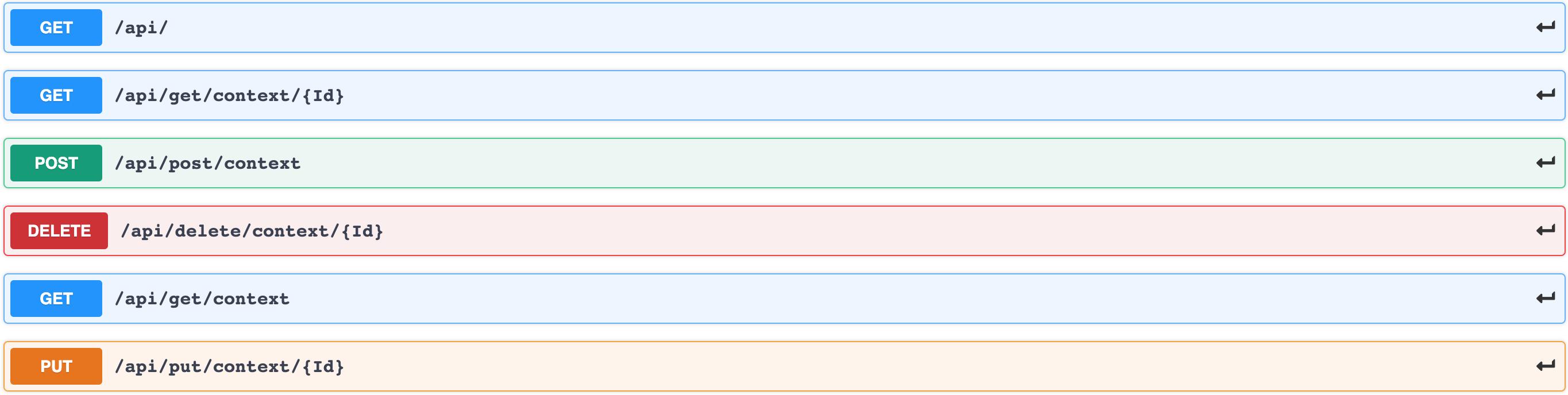
The application responds on /api/ with an HTML interface documenting available methods:
| HTTP Method | URI | Action |
|---|---|---|
| GET | /api/get/context | Retrieve list of contexts |
| GET | /api/get/context/[context_id] | Retrieve a specific context |
| POST | /api/post/context | Create a new context |
| PUT | /api/put/context/[context_id] | Update an existing context |
| DELETE | /api/delete/context/[context_id] | Delete a context |
Examples
GET all contexts:
$ curl -i http://pytbak.ing.h4x0r3d.lan/api/get/context
HTTP/1.1 200 OK
Server: openresty/1.15.8.1
Content-Type: application/json

{
  "context": [
    {
      "description": "RHEL 6 based",
      "done": false,
      "title": "Cento 6",
      "uri": "http://pytbak.ing.h4x0r3d.lan/api/get/context/1"
    },
    {
      "description": "RHEL 7 based",
      "done": false,
      "title": "Centos 7",
      "uri": "http://pytbak.ing.h4x0r3d.lan/api/get/context/2"
    },
    {
      "description": "RHEL 8 based",
      "done": false,
      "title": "Centos 8",
      "uri": "http://pytbak.ing.h4x0r3d.lan/api/get/context/3"
    },
    {
      "description": "Fedora + RHEL based",
      "done": false,
      "title": "Centos stream",
      "uri": "http://pytbak.ing.h4x0r3d.lan/api/get/context/4"
    }
  ]
}
POST — create a new context:
$ curl -i -H "Content-Type: application/json" -X POST -d '{"title":"Ubuntu 20.04 LTS", "description":"focal"}' http://pytbak.ing.h4x0r3d.lan/api/post/context
HTTP/1.1 201 CREATED
Content-Type: application/json

{
  "task": {
    "description": "focal",
    "done": false,
    "title": "Ubuntu 20.04 LTS",
    "uri": "http://pytbak.ing.h4x0r3d.lan/api/get/context/5"
  }
}
PUT — update an existing context:
$ curl -i -H "Content-Type: application/json" -X PUT -d '{"description":"Focal Fossa"}' http://pytbak.ing.h4x0r3d.lan/api/put/context/5
HTTP/1.1 200 OK
Content-Type: application/json

{
  "task": {
    "description": "Focal Fossa",
    "done": false,
    "title": "Ubuntu 20.04 LTS",
    "uri": "http://pytbak.ing.h4x0r3d.lan/api/get/context/5"
  }
}
DELETE — remove a context:
$ curl -i -H "Content-Type: application/json" -X DELETE http://pytbak.ing.h4x0r3d.lan/api/delete/context/5
HTTP/1.1 200 OK
Content-Type: application/json

{
  "result": true
}
Verify it’s gone:
$ curl -i http://pytbak.ing.h4x0r3d.lan/api/get/context/5
HTTP/1.1 404 NOT FOUND
Content-Type: application/json

{
  "error": "Not found"
}
This application shows up throughout the blog — it’s the backend behind the API gateway post, the rate limiting tests, and various HPA experiments. Having a purpose-built test backend that you fully control makes platform testing much cleaner than hacking against real applications.