Migrating Homelab from VMware ESXi to Proxmox: A New Era

Introduction
For years, VMware ESXi was the foundation of my homelab — stable, dependable, and familiar. Then Broadcom acquired VMware, and the writing was on the wall.
The free ESXi license disappeared. Support for consumer-grade hardware like MiniPCs and NUCs became problematic. The platform that had “just worked” for years was now actively working against the homelab use case.
Enter Proxmox — an open-source virtualization platform built on Debian Linux, offering KVM, LXC, ZFS, and native clustering without a licensing fee.
Why I Moved from ESXi to Proxmox
1. Cost and Licensing
ESXi’s free license is gone post-Broadcom acquisition. Proxmox is completely open-source — the optional paid subscription covers enterprise support, not features.
2. Hardware Compatibility
ESXi increasingly rejects consumer and prosumer hardware. Proxmox, being Debian-based, works out of the box on NUCs, MiniPCs, and anything Linux supports.
3. Customization
ESXi previously required ESXi-Customizer to inject missing drivers — a tool now unsupported. Proxmox’s Linux foundation means standard driver support, modular and maintainable.
4. Open Ecosystem
ZFS, LXC containers, KVM/QEMU VMs, clustering, high availability — all included, all free, all documented.
The Migration Approach: How I Did It
Step 0 — Hardware Comparison
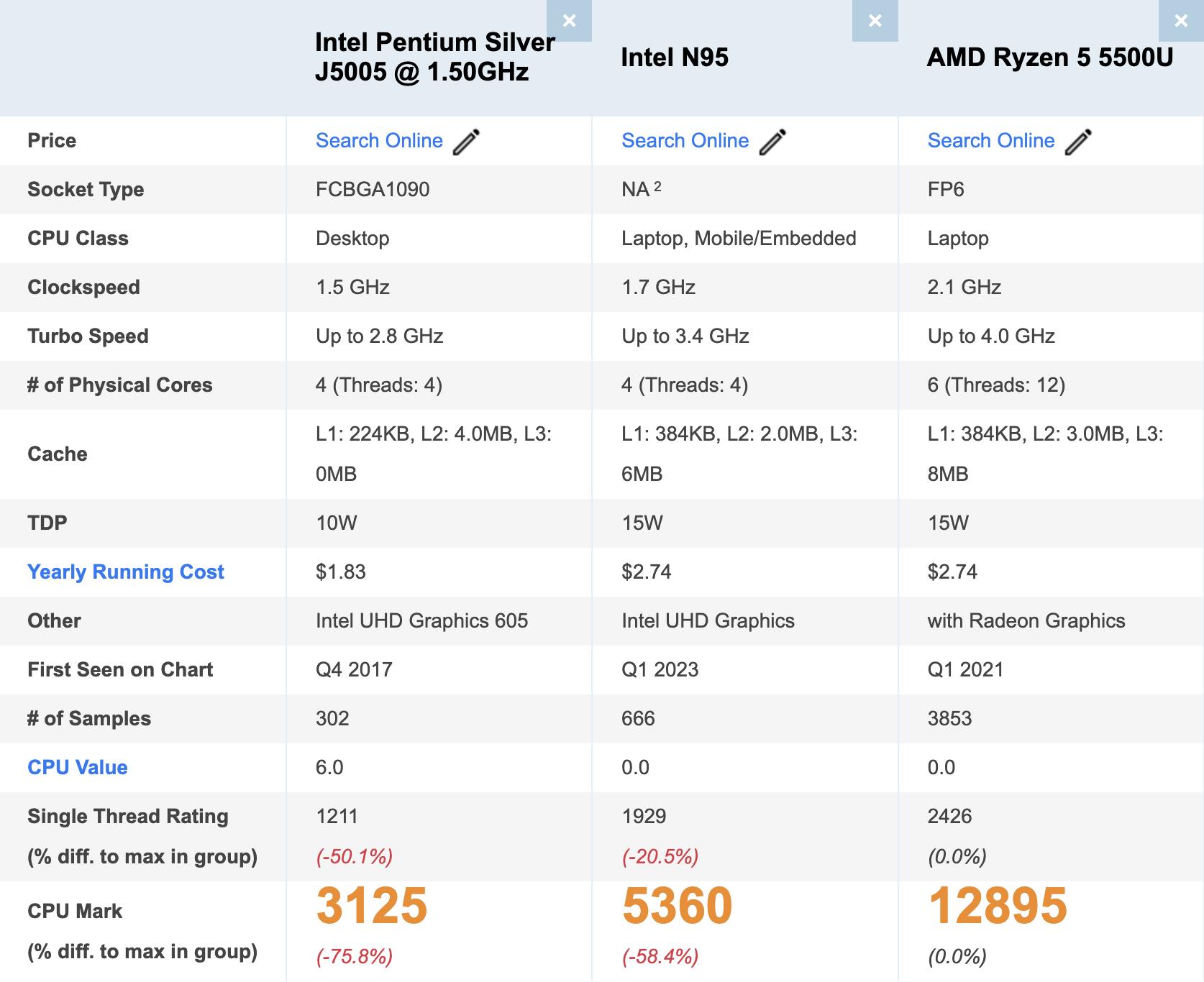
My original setup was an Intel NUC J5005 from 2019. Good machine, but the migration was an opportunity to upgrade. I picked up two mini PCs at ~$150 each:
- Intel N95-based system ($100)
- AMD Ryzen 5500U-based system ($150)
Both support 32GB RAM. The Ryzen goes up to 64GB. Same power envelope, significantly more performance.
Step 1 — Backup Everything
All VMs were backed up from ESXi using ghettovcb, a reliable free backup utility for VMware environments. No VM left behind.
Step 2 — Prepare the New Environment
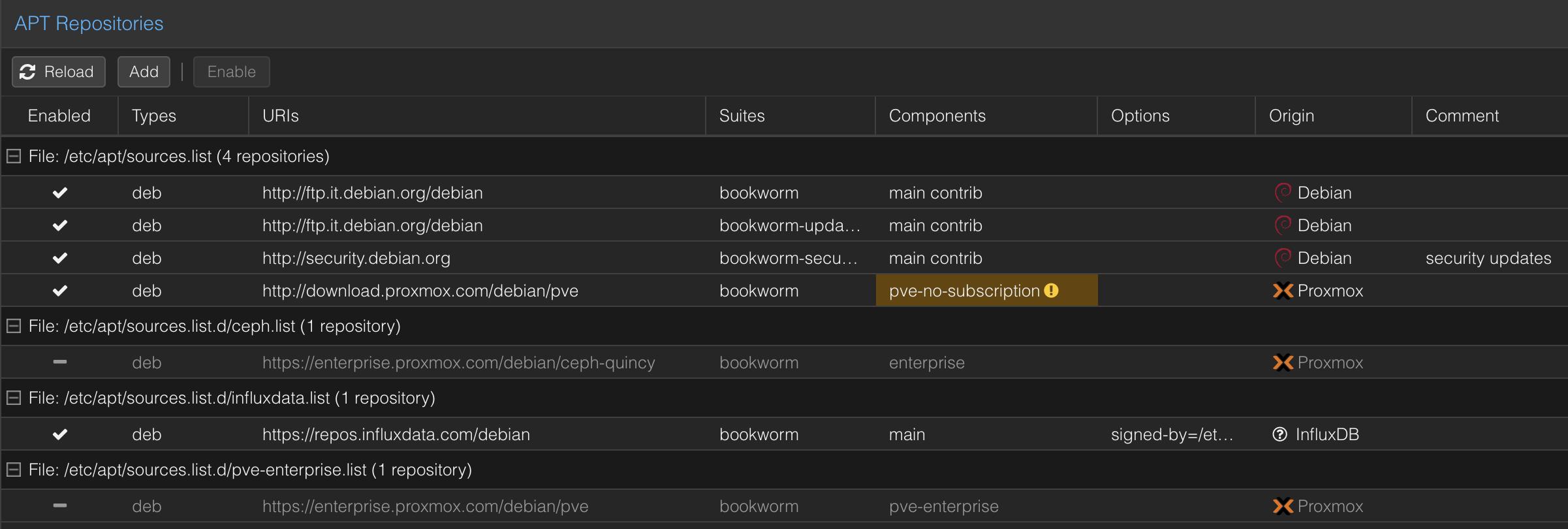
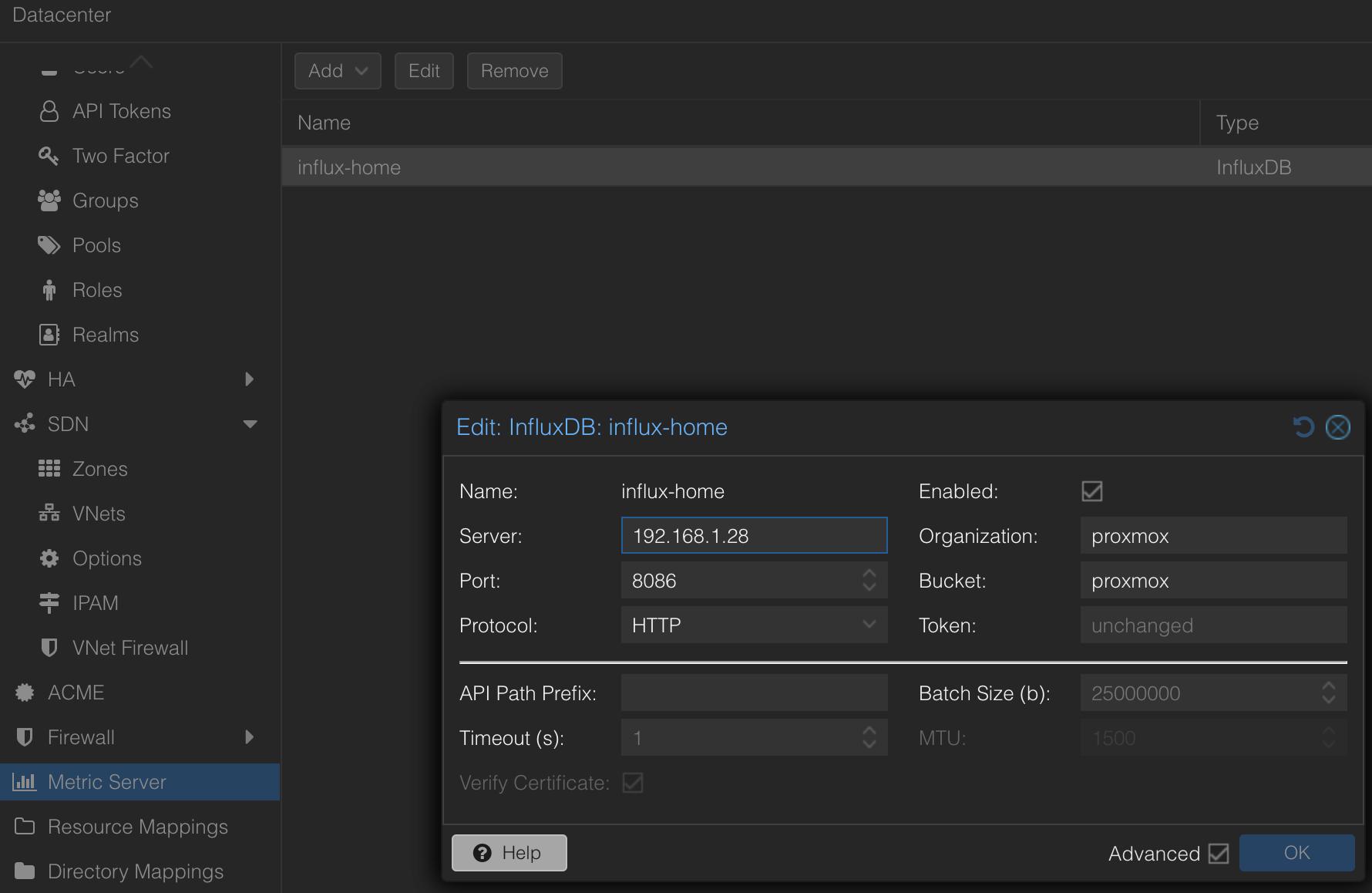
Installed Proxmox on both machines, then configured:
- Networking (bridges, VLANs)
- Storage (ZFS pool on the Ryzen node)
- Users and permissions
- Monitoring stack (Prometheus + Grafana)
Step 3 — Convert and Import VMs
ESXi VMs don’t transfer directly. Options:
- Export as OVF/OVA → import (slow but universal)
- Use Proxmox’s migration tools (recommended)
- Recreate config manually and attach converted disks
I went with Proxmox’s built-in migration tooling for most VMs.
Step 4 — Testing
Most issues were CentOS VMs with VMware Tools baked into the kernel. They panicked on boot under KVM. Fix: regenerate initramfs or boot the latest kernel without VMware Tools.
Day-to-Day Differences: ESXi vs Proxmox
| Feature | VMware ESXi | Proxmox VE |
|---|---|---|
| UI | Polished proprietary | Functional web-based |
| Storage | VMFS datastores | ZFS, Ceph, LVM, directory |
| Backup | Requires add-ons (Veeam etc.) | Built-in backup and restore |
| Snapshots | Basic, no scheduling (free) | Scheduled ZFS-native snapshots |
| Cluster Setup | Requires vCenter (paid) | Built-in, CLI-based |
| Container Support | None | Native LXC management |
| Networking | Standard vSwitches | Linux bridges, OVS optional |
| Monitoring | Basic | Built-in metrics + Grafana |
| Community | Strong, corporate-focused | Growing, highly active |
Things You Might Miss from VMware (At First)
- vSphere UI polish and refinement — Proxmox’s UI is functional but not beautiful
- Enterprise hardware stability guarantees
- Live migration simplicity (Proxmox clustering is powerful once configured, but the learning curve is real)
Bonus: Things I Gained with Proxmox
- LXC containers: migrated several workloads from VMs to containers, cutting resource usage dramatically
- Native backup: no more Veeam, no more workarounds — backup to local or remote storage out of the box
- Direct Linux access: SSH into the hypervisor, install packages, write cron jobs, debug directly
- No licensing overhead: update freely, no activation servers, no compliance checks
Current Installation
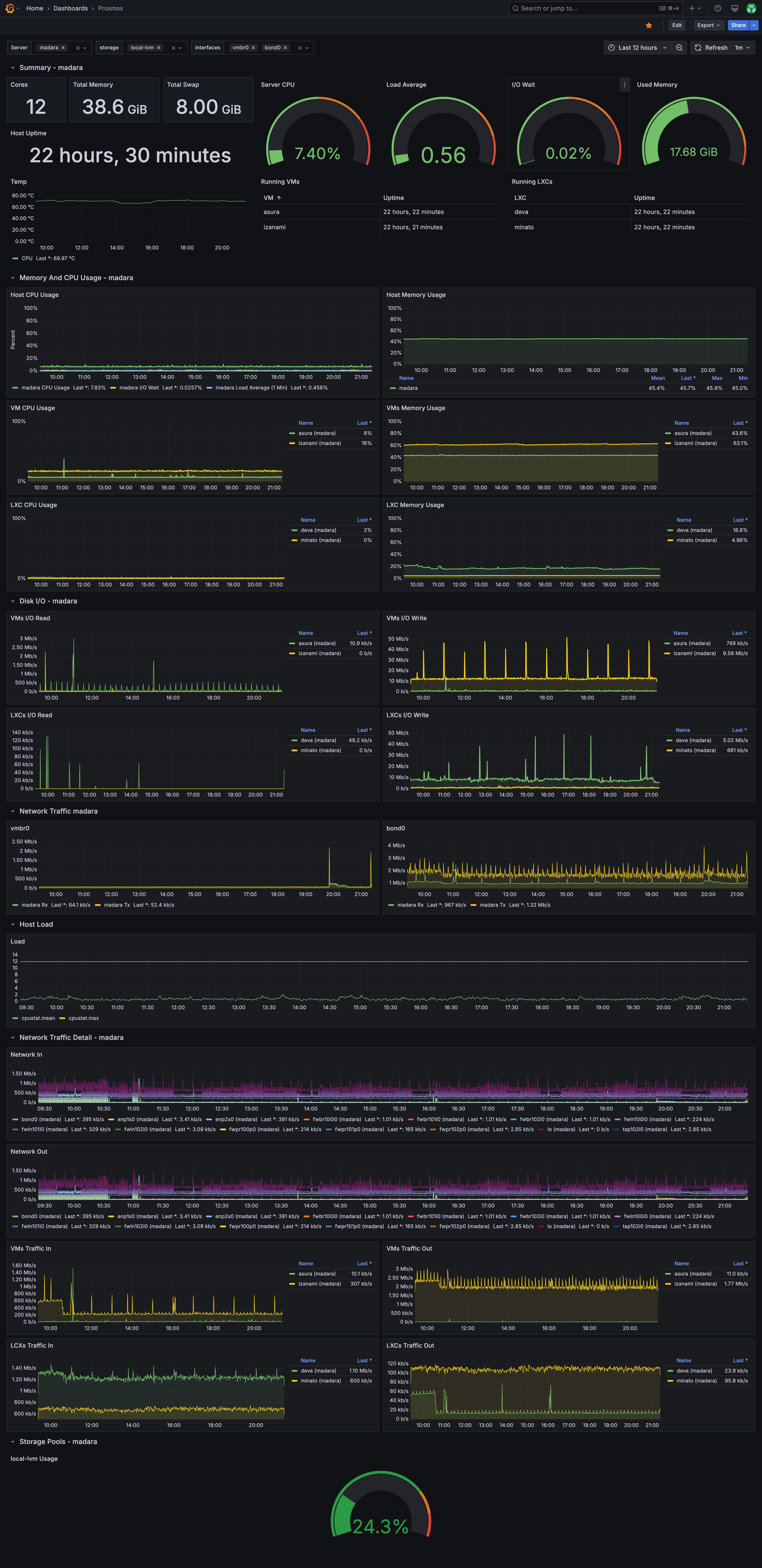
Both nodes running, monitored via Grafana. The Ryzen handles compute-heavy VMs. The N95 runs containers and lightweight services.
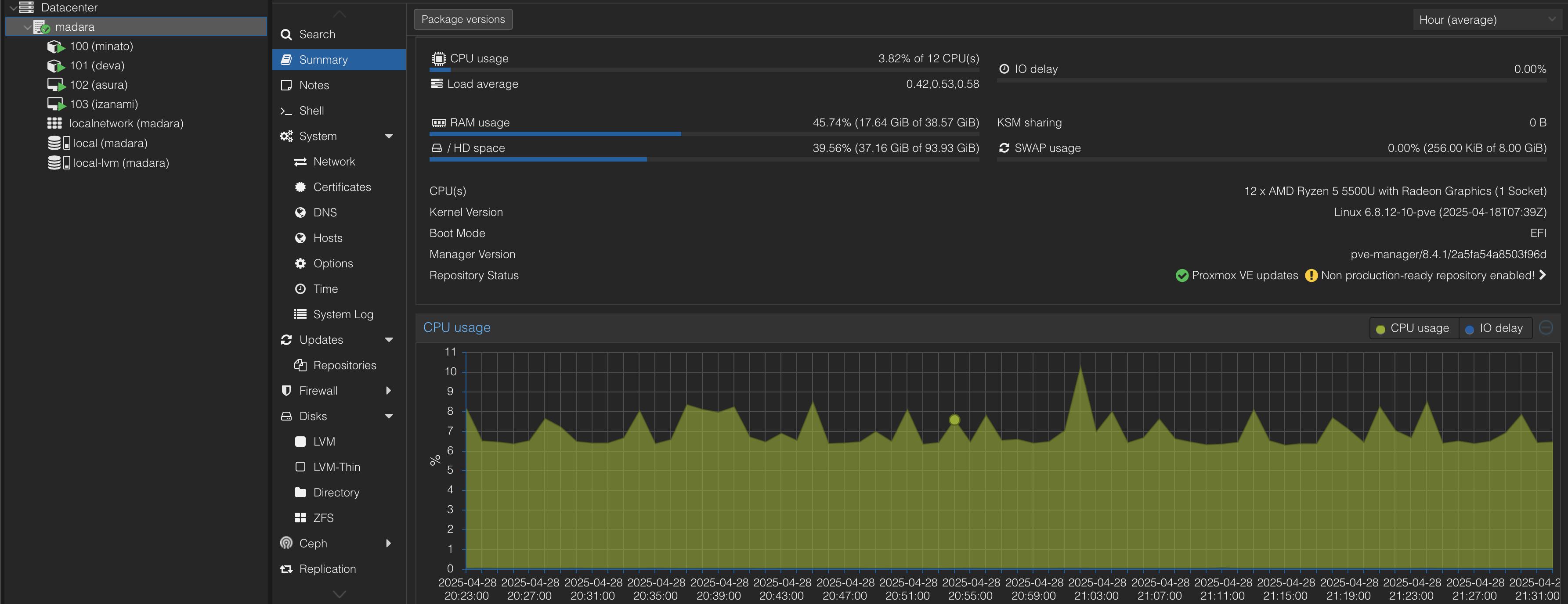
The migration restored flexibility that ESXi had slowly taken away. ZFS, LXC, clustering — all free, all working.
If you’re on the fence: spin up a Proxmox node, migrate a test VM, and feel the difference.