Lazy People Do It Better
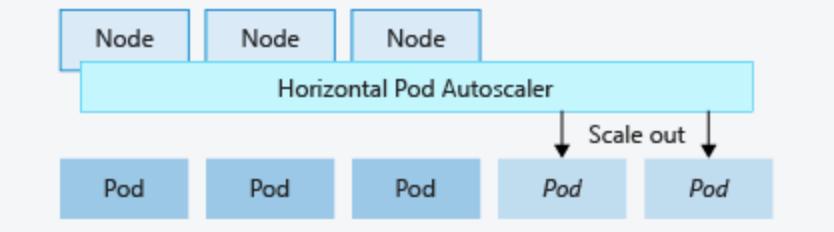
There’s a reactive way to manage infrastructure and there’s a proactive way. The reactive way is: traffic increases, you notice the service is suffering, you add resources. The proactive way is: you understand your system well enough that it handles demand changes automatically, without you needing to be in the loop.
I prefer the lazy way.

But lazy here means thoughtful. Before you can set up meaningful autoscaling, you have to understand your KPIs. Not just “is the service up?” but what “up” actually means to your users. Is 3ms acceptable? 30ms? 300ms? 3000ms? The service can be running and completely failing the user at the same time. The impact is just invisible if you’re not measuring it.
Environment
The test application is a Python API that computes Fibonacci sequences. It’s deliberately CPU-intensive so we can drive it to its limits predictably.
Deployment configuration:
- 3 initial replicas
- Resource limits: 300m CPU, 250Mi memory
- Resource requests: 30m CPU, 125Mi memory
- Liveness and readiness probes configured
Load test: Gatling simulation that ramps traffic progressively from 1 to 100 requests per second, hitting /api/fib/18500 — a computationally heavy endpoint.
What Happens Without HPA
Fixed at 3 replicas, the system handles light load fine. But as traffic approaches 100 RPS, things fall apart fast:
- Response times cluster at extremely high values
- Active users exceed requests because requests are queuing
- CPU spikes dangerously
- Pods crash
- KPI targets completely missed
This is the predictable failure mode of a fixed-capacity system facing variable demand.
What Happens With HPA
With autoscaling enabled, the same load test produces a very different story:
- 99% of requests stay below the 300ms target
- Active users align with request rates — no queuing
- CPU stays controlled
- No pod crashes
- System scales automatically from 3 to 10 pods
The system absorbs the demand increase without any human intervention.
KEDA Configuration
Rather than using the native HPA with a Prometheus adapter, I recommend KEDA — Kubernetes Event Driven Autoscaling. It’s cleaner, more flexible, and integrates directly with Prometheus queries.
Here’s the ScaledObject I’m using:
apiVersion: keda.sh/v1alpha1
kind: ScaledObject
metadata:
  name: rps-scaledobject
  namespace: pytbak
spec:
  minReplicaCount: 3
  maxReplicaCount: 10
  pollingInterval: 10
  scaleTargetRef:
    name: pytbak-stable
  advanced:
    horizontalPodAutoscalerConfig:
      behavior:
        scaleDown:
          stabilizationWindowSeconds: 45
  triggers:
  - type: prometheus
    metadata:
      serverAddress: http://10.152.183.99:9090
      metricName: flask_http_request_duration_seconds_count
      query: sum(rate(flask_http_request_duration_seconds_count{status="200"}[60s]))
      threshold: '10'
A few things worth calling out:
pollingInterval: 10— KEDA checks the metric every 10 seconds, which gives responsive scaling without thrashingstabilizationWindowSeconds: 45— we wait 45 seconds before scaling down to avoid immediately losing pods that might be needed again- The Prometheus query uses
rate()over 60 seconds, giving a smooth signal rather than reacting to individual spikes threshold: '10'means we want roughly 10 RPS per pod — that’s the sweet spot I found through testing
Application Tolerance Numbers
Based on testing with the Fibonacci function at 18500:
- Maximum sustainable throughput without errors: 30 RPS per pod
- Threshold for maintaining 300ms response time: 15 RPS per pod
I’m scaling at 10 RPS per pod which is conservative — deliberately leaving headroom. The goal is to scale before users feel the pain, not after.
The Point
HPA is not difficult to implement. KEDA makes it even less difficult. What’s actually hard — and what takes the real work — is understanding your application well enough to set meaningful thresholds. You need to know:
- What does acceptable response time look like for your users?
- At what request rate does your application start to degrade?
- How quickly can your application spin up and start serving traffic?
Once you have those numbers, the automation is straightforward. And once the automation is in place, you stop babysitting your infrastructure and start doing more interesting work.
The lazy person’s approach is actually the harder one to set up correctly. But you only do it once.