Kubernetes nstats
Here we go… another weird sidecar container.
Motivations
I’ve always been interested in the observability area. There are many aspects that improve performances and fix bugs. One of the most interesting is network usage.
This is not about network issues:

It’s about understanding where bandwidth is actually going.
You’re probably used to seeing something like this for your VMs:
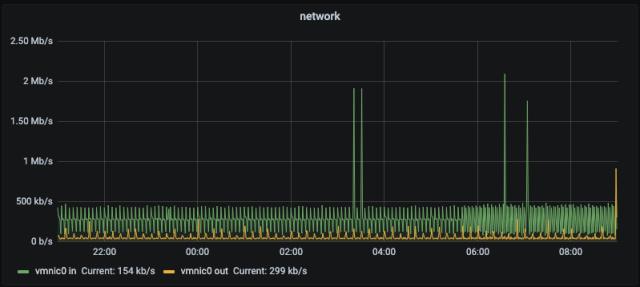
Traditional IN and OUT. With Kubernetes you get the same view at the pod level:
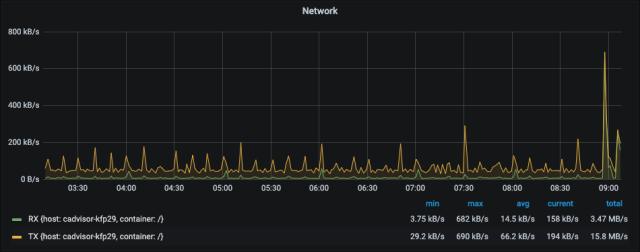
Still just IN and OUT. But where is this bandwidth actually being used? Which destinations? Which services?
The answer is not easy. Your options are:
- Profile the application
- Profile the VM/pod
- Have a dedicated APM
- Have a service mesh installed
Service mesh is a good tool but for the reasons I explained elsewhere, you should promote it carefully. It can answer my question but it’s overkill for this specific purpose. APM depends on company budget.
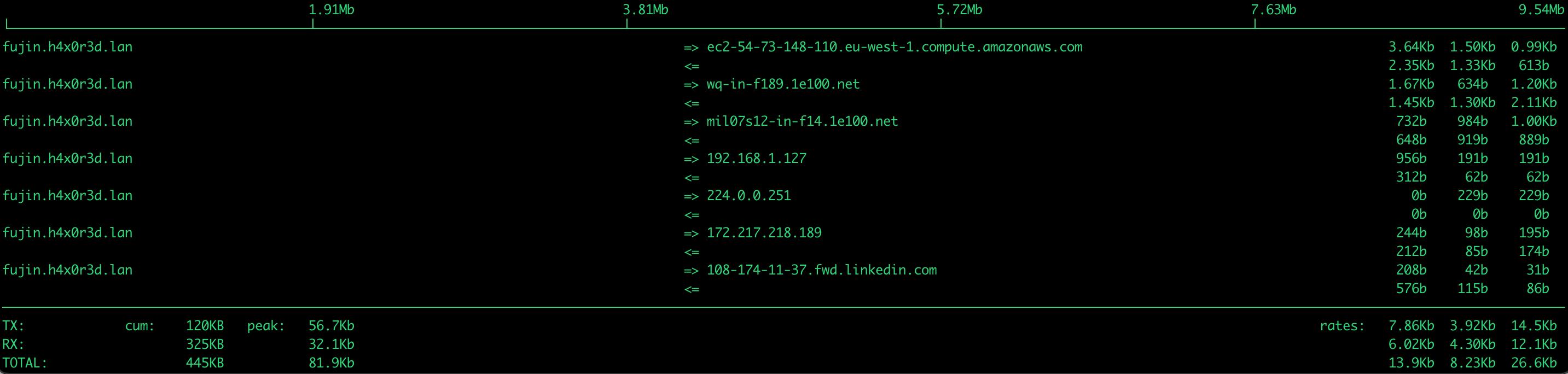
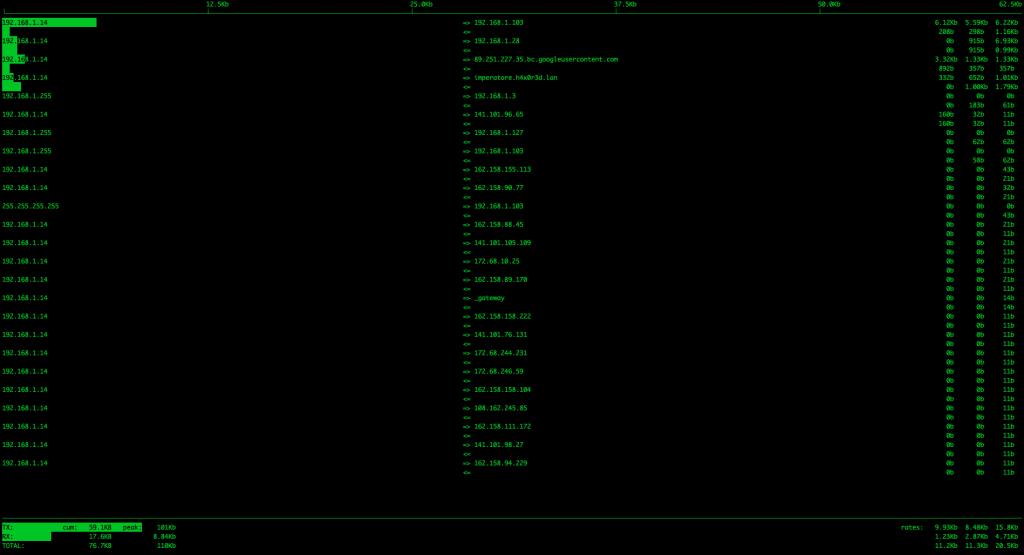
Even in 2021, I still reach for iftop to understand network usage in real time. The problem is that iftop is a point-in-time view — I have no long-term visibility.
Goals
- Monitor a Kubernetes pod network with a sidecar container
- Know src-dst of pod connections
- Use it as a sidecar
- Try to find a win-win solution (aka quick and dirty)
Implementation
Project: https://github.com/lorenzogirardi/Kubernetes-nstats
A colleague of mine did amazing work with a Go container for this kind of observability. I wanted to build a prototype that could work quickly and I found this interesting project as a starting point. Most of the heavy lifting was already there:
- Create an iftop static dump
- Filter the results into a matrix
- Build an InfluxDB layout and POST directly to the database
Let me walk through the structure:
|-- Dockerfile
|-- README.md
|-- cron.sh
|-- crontab
|-- format.py
`-- parse.awk
Dockerfile
FROM debian:stretch-slim
MAINTAINER lgirardi <[email protected]>

RUN apt-get -y update && apt-get -yq install \
    iftop \
    python3 \
    cron \
    curl

RUN touch /var/log/cron.log
RUN mkdir /code
WORKDIR /code
ADD . /code/
RUN chmod +x /code/cron.sh
COPY crontab /etc/crontab
RUN crontab /etc/crontab
CMD env > /code/env.sh ; cron -f
CRON?! Yes, it’s a prototype. Kubernetes CronJobs aren’t effective for this scope. The most interesting part is env > /code/env.sh — this creates an environment file from Docker environment variables, which we use later to read configuration without relying on shell inheritance.
cron.sh
#!/bin/bash
/usr/sbin/iftop -nNb -i $(grep IFACE /code/env.sh |cut -d= -f2) -s 10 -o 10s -t -L 100 2>/dev/null |/usr/bin/awk -f /code/parse.awk |/usr/bin/python3 /code/format.py |/usr/bin/curl -i -XPOST 'http://'"$(grep INFLUX /code/env.sh |cut -d= -f2)"'/write?db='"$(grep IDB /code/env.sh |cut -d= -f2)"'' --data-binary @-
parse.awk
#!/bin/awk -f
BEGIN {
    numlist = 0
    nblines = 15
}
{
    if ( numlist == 1 && $1 == "--------------------------------------------------------------------------------------------" ) {
        exit
    }

    if ( numlist == 0 && $1 == "--------------------------------------------------------------------------------------------" ) {
        numlist = 1
        next
    }

    if ( numlist == 1 ) {
        if ( $0 ~ "=>" && nblines > 0 ) {
            SENDER = $2
            STX = pfFormat($5)
            getline
            RECEIVER = $1
            RTX = pfFormat($4)
            printf "%s,%s,%s,%s\n", SENDER, RECEIVER, RTX, STX
            nblines--
            if ( nblines < 1 ) {
                exit
            }
        }
        next
    }
}
END {
}

function pfFormat(str) {
    sub("b","",str)
    return str
}
format.py
#!/usr/local/bin/python3

import csv
import socket
import sys
import re

def getHostName(ipAddress):
    hostName = ipAddress
    try:
        hostName = socket.gethostbyaddr(ipAddress.strip())[0]
    except socket.herror:
        pass
    return hostName

def prefixToMultiplier(prefix):
    multiplier = {
        'K': 1000,
        'M': 1000000,
        'G': 1000000000
    }
    return multiplier.get(prefix, 1)

def expandBitRate(bitRate):
    groups = re.match(r"(\d+\.?\d*)(?:(K|M|G)?)", bitRate).groups()
    multiplier = 1.0
    if len(groups) > 1:
        multiplier = prefixToMultiplier(groups[1])
    value = float(groups[0])
    return value * multiplier

host = socket.gethostname()

with sys.stdin as csvfile:
    csvReader = csv.reader(csvfile)
    for row in csvReader:
        (senderIp, receiverIp, receiveRate, sendRate) = (row[0], row[1], expandBitRate(row[2]), expandBitRate(row[3]))
        sender = getHostName(senderIp)
        receiver = getHostName(receiverIp)
        print("nstat,hosts=" + host +",sender=" + sender + ",receiver=" + receiver + " sendRate=" + str(sendRate) + ",receiveRate=" + str(receiveRate))
crontab
SHELL=/bin/bash
PATH=/usr/local/sbin:/usr/local/bin:/sbin:/bin:/usr/sbin:/usr/bin
* * * * *  sh -x /code/cron.sh >> /var/log/cron.log 2>&1
#
How It Works
The pipeline is:
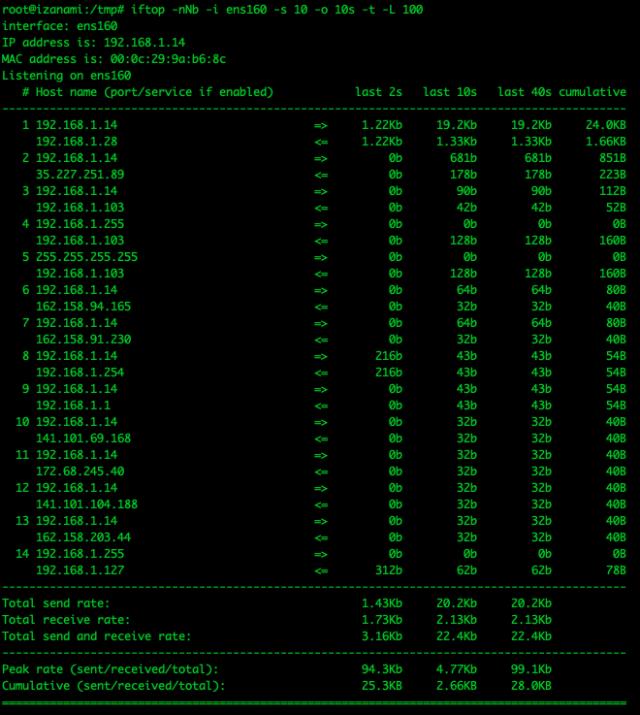
/usr/sbin/iftop -nNb -i $IFACE -s 10 -o 10s -t -L 100 2>/dev/null
This runs iftop for a 10-second window, sorted on the last-10-seconds column:
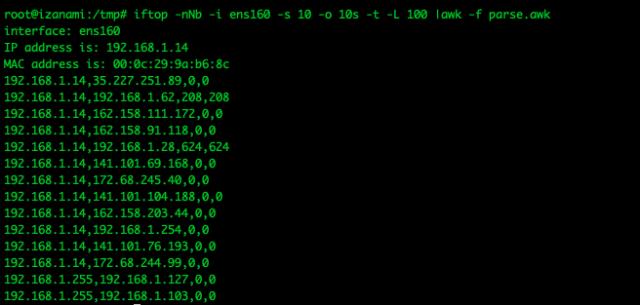
Then awk parses the output:
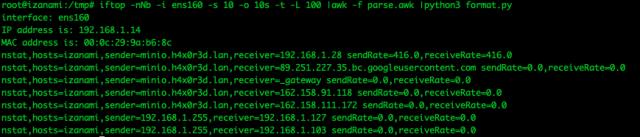
Python formats it into InfluxDB line protocol:
And finally curl ships it to InfluxDB:
curl -i -XPOST 'http://$INFLUX/write?db=$IDB' --data-binary @-Results
Build and run locally:
docker build -t nstats .
docker run -d -e IFACE=eth0 -e INFLUX=192.168.1.28:8086 -e IDB=test nstats
Or add it to an existing Kubernetes pod as a sidecar — no refactoring required:
containers:
- image: lgirardi/py-test-backend
  imagePullPolicy: Always
  name: pytbak
  # ... rest of existing container spec ...
- env:
  - name: IFACE
    value: eth0
  - name: INFLUX
    value: 192.168.1.28:8086
  - name: IDB
    value: test
  image: lgirardi/nstats
  imagePullPolicy: Always
  name: nstats
And in Grafana you get visibility into which hosts your pod is actually talking to, with send and receive rates per connection:
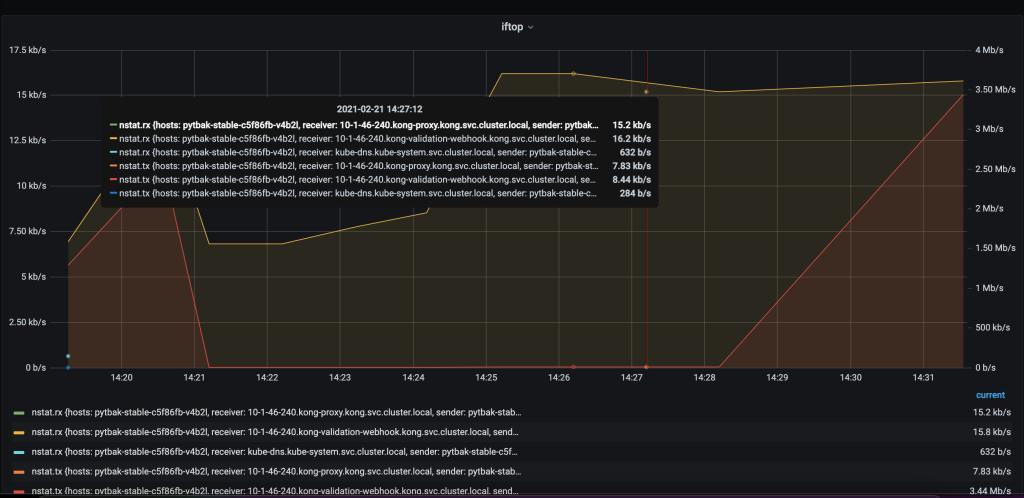
This is what was missing. Now when someone asks “where is this bandwidth going?” you have an answer.