Kubernetes Guacamole — Bastion Host Without MySQL

Another Guacamole in Kubernetes
A bastion host is “the only host computer that a company allows to be addressed directly from the public network.” It’s the security barrier between the internet and your internal infrastructure — the single controlled point for SSH and RDP access.
Apache Guacamole turns a bastion host into a browser-accessible portal: no VPN client, no SSH client, just a browser.
The problem with most Guacamole deployments: MySQL. A database dependency for something that’s fundamentally config management.
This implementation uses user-mapping.xml as a Kubernetes ConfigMap instead.
Why Kubernetes?
- Authentication scales via ConfigMap, LDAP, or MySQL — choose your complexity
- Lower resource footprint than a dedicated VM
- Kubernetes-native lifecycle management
- NetworkPolicies for tight access control between Guacamole and target hosts
Configuration
Before deploying, edit two files:
03-guacamole-ing.yaml — replace YOUR_DOMAIN with your ingress hostname.
04-guacamole-cfm.yaml — the user-mapping.xml ConfigMap:
<user-mapping>
  <authorize username="admin" password="YOUR_HASHED_PASSWORD" encoding="md5">

    <connection name="Linux Server">
      <protocol>ssh</protocol>
      <param name="hostname">192.168.1.10</param>
      <param name="port">22</param>
      <param name="username">ubuntu</param>
    </connection>

    <connection name="Windows Server">
      <protocol>rdp</protocol>
      <param name="hostname">192.168.1.20</param>
      <param name="port">3389</param>
      <param name="username">administrator</param>
      <param name="security">nla</param>
      <param name="ignore-cert">true</param>
    </connection>

  </authorize>
</user-mapping>
See the Apache Guacamole docs for all available connection parameters.
Deployment
kubectl apply -f guacd/
kubectl apply -f guacamole/
Two deployments: guacd (the Guacamole daemon handling protocol translation) and guacamole (the web frontend). They communicate over an internal service.
Security enhancements:
- kube-lego / cert-manager for TLS on the ingress
- Cilium NetworkPolicies to restrict which pods can reach Guacamole’s backend services
What It Looks Like
SSH session in a browser tab. No client software. Works from any device.
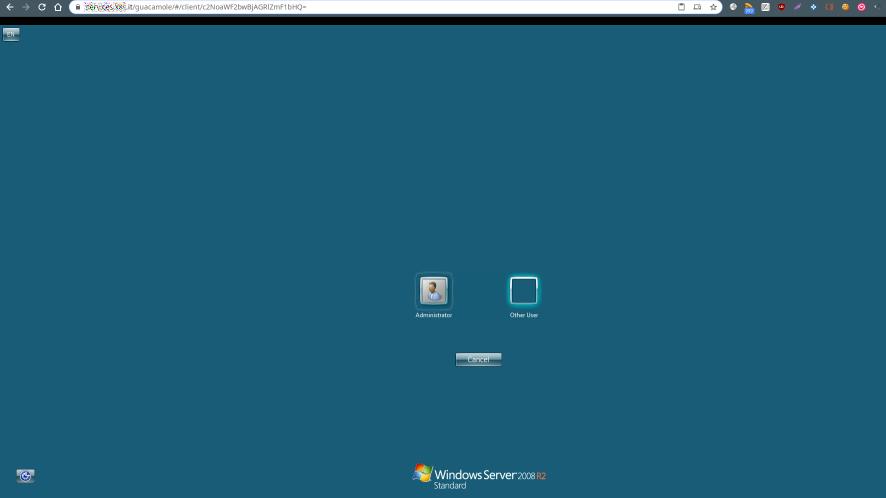
Full RDP session. Clipboard sharing, file transfer, everything you’d expect.
Adding Users
Update the ConfigMap and rollout a restart:
kubectl create configmap guacamole-config --from-file=user-mapping.xml -n guacamole --dry-run=client -o yaml | kubectl apply -f -
kubectl rollout restart deployment/guacamole -n guacamole
No database migrations. No MySQL downtime. Just a ConfigMap update.
For larger deployments with dynamic user management, switch to the LDAP or MySQL backend — the auth method is a ConfigMap variable, not a rebuild.