Kubernetes API Gateway
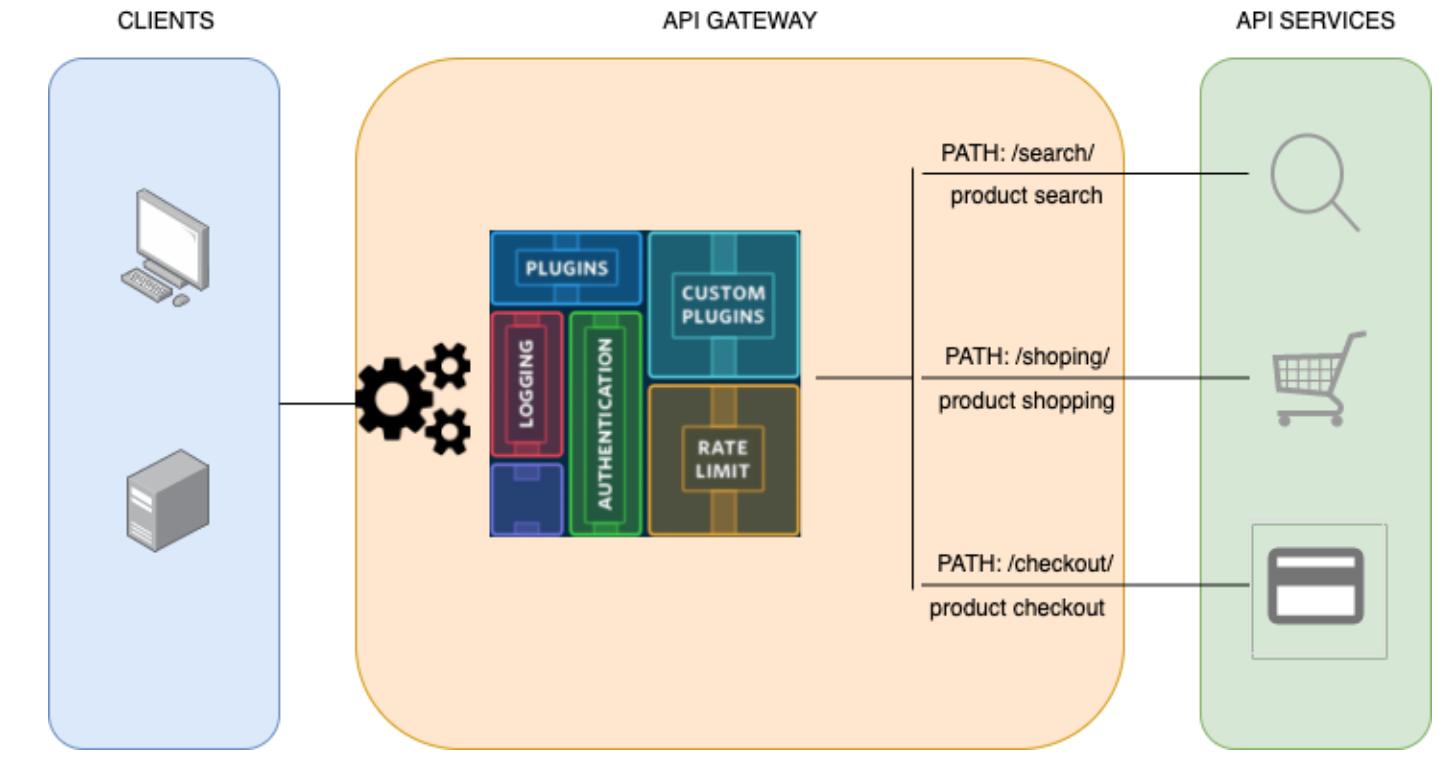
It’s time to talk about the API gateway.
In a modern infrastructure — especially in a microservices environment — you probably know what I’m referring to. But it’s worth being explicit about it:
“An API gateway takes all API calls from clients, then routes them to the appropriate microservice with request routing, composition, and protocol translation. Typically it handles a request by invoking multiple microservices and aggregating the results, to determine the best path.”
Think of an e-commerce site providing mobile clients with a single endpoint to retrieve all product details — product info, reviews, pricing — combined from different backend services. The gateway is what makes that single endpoint possible.
Service Mesh vs API Gateway
A few months ago I wrote about service mesh. To be clear about the difference: forget service mesh for this post. An API gateway and a service mesh overlap in some areas but serve very different purposes. An API gateway is about managing external-facing APIs. Keep the focus there.
What We Need
Required:
- APIs must be public
- Users need authentication
- A user can be rate limited
- A service can be rate limited
- Backend applications should not need to change
- We need to interact with the API gateway as code
Nice to have:
- Analytics
- Transformation
- Versioning
- Circuit Breaker
- gRPC support
- Caching
- Documentation
Software Landscape
On-premises options: Kong, Tyk, Nginx, Ambassador, 3scale
Cloud options: AWS API Gateway, Mashery (Tibco), Google Apigee, Akana (hybrid), Azure API Management
Here’s how the on-premises solutions compare:
| Feature | nginx | kong | tyk | ambassador | aws api gw |
|---|---|---|---|---|---|
| basic | yes | yes | yes | yes | pay |
| oauth | pay | yes | yes | pay | pay |
| jwt | pay | yes | yes | pay | pay |
| ip listing | yes | yes | yes | no | pay |
| analytics | yes | yes | yes | yes | pay |
| rate limiting | yes | yes | yes | yes | pay |
| transformation | pay | yes | yes | yes | pay |
| grpc | yes | yes | yes | yes | no |
| websocket | yes | yes | yes | yes | pay |
| service mesh | no | yes | yes | pay | no |
| k8s ingress | yes | yes | yes | yes | no |
| caching | yes | pay | yes | no | pay |
| documentation | pay | yes | yes | no | pay |
| admin ui | pay | 3rd party | yes | no | pay |
| ease to setup | 3.5 | 4 | 2.5 | 3 | 5 |
Cloud solutions: Pro — managed infrastructure, support, attack mitigation. Con — pricing, often not customizable.
On-premises solutions: Pro — open source, customizable, full visibility. Con — you’re responsible for attacks, need infrastructure knowledge.
You can host an on-prem API gateway combined with a CDN/WAF with IP lockdown — you’ll still pay for traffic, but you control the stack.
Why Kong
I tried cloud solutions like AWS and Mashery. I played with several on-premises options. Kong hit the right compromise:
- Kubernetes ingress
- API management
- Documentation
- Konga UI (open source admin)
- Basic auth, API key, OAuth, JWT
- IP listing
- Analytics
- Rate limiting
- Transformation
- gRPC, WebSockets
- Easy to use
Infrastructure
- Kubernetes
- Backend Python application
- Kong API gateway
- Konga admin UI
- WAF (free Cloudflare service)
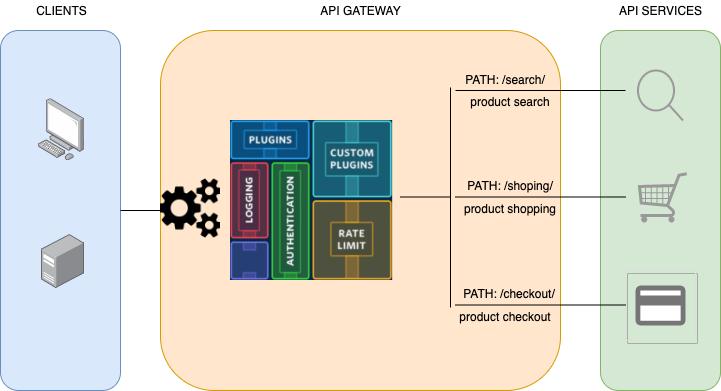
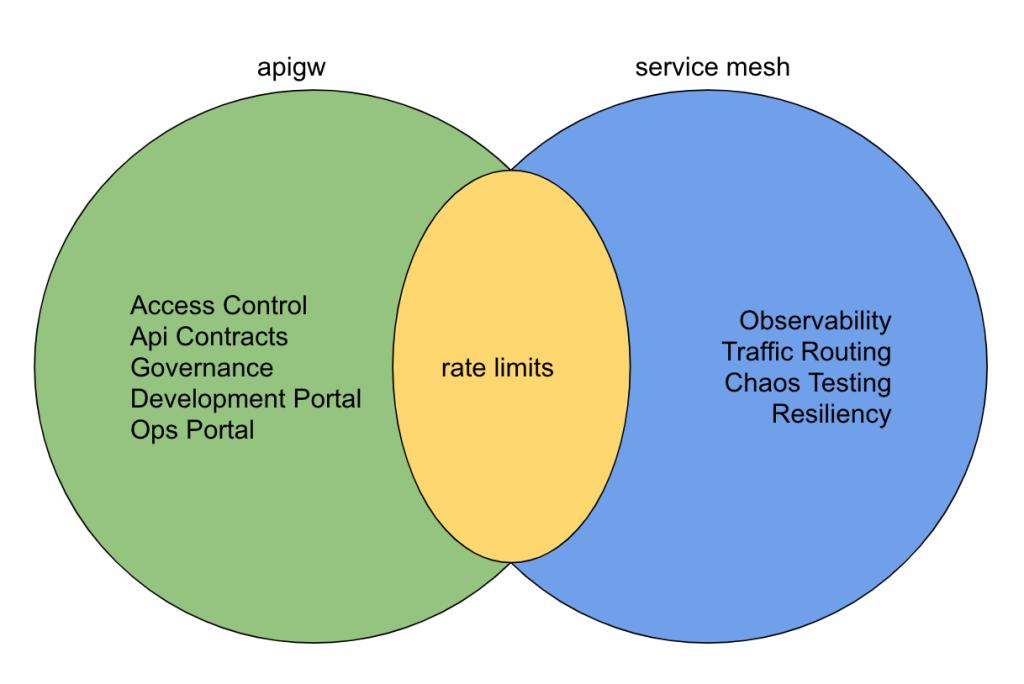
Backend Application
For testing I built a Python REST API: https://github.com/lorenzogirardi/py-test-backend
| HTTP Method | URI | Action |
|---|---|---|
| GET | /api/get/context | Retrieve list of contexts |
| GET | /api/get/context/[id] | Retrieve a context |
| POST | /api/post/context | Create a new context |
| PUT | /api/put/context/[id] | Update an existing context |
| DELETE | /api/delete/context/[id] | Delete a context |
Kong Installation
Git repo: https://github.com/lorenzogirardi/Kubernetes-apigw
Kong is configured as a secondary ingress — since I already have one ingress in my infrastructure, Kong answers on different ports. All YAML files are organized by role:
kong
|-- 01-kong-ns.yaml
|-- 02-kong-cr.yaml
|-- 03-kong-sa.yaml
|-- 04-kong-rbac.yaml
|-- 05-kong-crb.yaml
|-- 06-kong-svc.yaml
|-- 07-kong-dpl.yaml
|-- 08-kong-ss.yaml
`-- 09-kong-job.yaml
The service ports use NodePort:
ports:
- name: proxy
  nodePort: 30080
  port: 80
  protocol: TCP
  targetPort: 8000
- name: proxy-ssl
  nodePort: 30443
  port: 443
  protocol: TCP
  targetPort: 8443
- name: admin
  port: 8100
  protocol: TCP
  targetPort: 8100
- name: admin-ssl
  port: 8444
  protocol: TCP
  targetPort: 8444
selector:
  app: ingress-kong
type: LoadBalancer
Kong container environment:
containers:
- env:
  - name: KONG_DATABASE
    value: postgres
  - name: KONG_PG_HOST
    value: postgres
  - name: KONG_PG_PASSWORD
    value: kong
  - name: KONG_PROXY_LISTEN
    value: 0.0.0.0:8000, 0.0.0.0:8443 ssl http2
  - name: KONG_PORT_MAPS
    value: 80:8000, 443:8443
  - name: KONG_ADMIN_LISTEN
    value: 0.0.0.0:8444 ssl
  - name: KONG_STATUS_LISTEN
    value: 0.0.0.0:8100
Postgres storage with a StatefulSet:
volumeClaimTemplates:
- metadata:
    name: datadir
  spec:
    accessModes:
    - ReadWriteOnce
    resources:
      requests:
        storage: 250Mi
After deployment, expected services:
$ kubectl get svc -n kong
NAME                      TYPE           CLUSTER-IP       EXTERNAL-IP   PORT(S)
kong-proxy                LoadBalancer   10.152.183.55    <pending>     80:30080/TCP,443:30443/TCP,8100:32588/TCP,8444:31793/TCP
kong-validation-webhook   ClusterIP      10.152.183.190   <none>        443/TCP
postgres                  ClusterIP      10.152.183.177   <none>        5432/TCP
Running pods:
kong    ingress-kong-686b4bc5df-nm7zk    2/2     Running     4     7d
kong    kong-migrations-ftgdv            0/1     Completed   0     7d
kong    postgres-0                       1/1     Running     2     7d
Konga Admin UI
Kong Enterprise has its own UI. The community version needs a third-party tool — Konga.
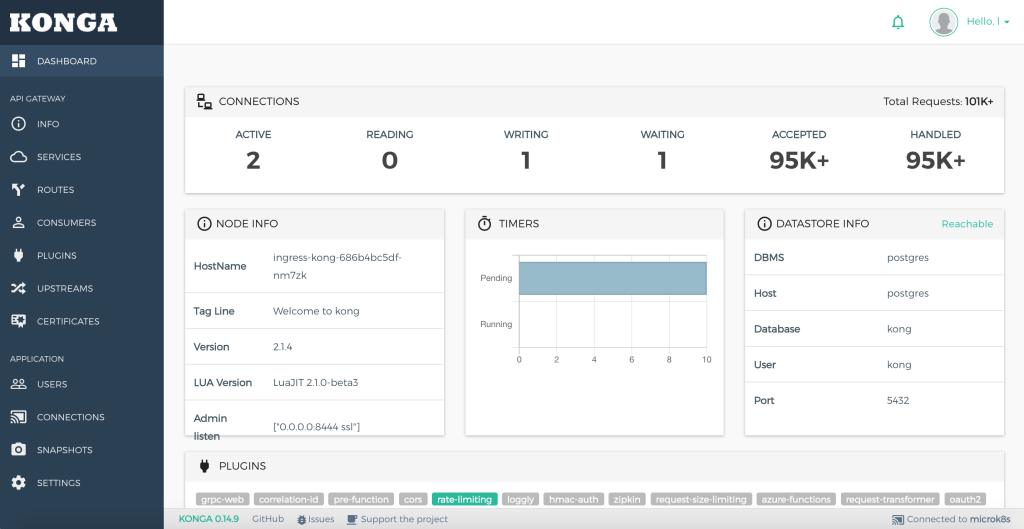
Like Kong, Konga needs a database. A couple of tips:
env:
- name: NODE_TLS_REJECT_UNAUTHORIZED
  value: "0"
- name: NODE_ENV
  value: "production"
NODE_TLS_REJECT_UNAUTHORIZED: "0" disables Kong admin certificate verification. NODE_ENV: production is right for normal operation — but during first deploy, use development to bootstrap the SQL schema. Production mode won’t initialize it.
Exposing the Backend Through Kong
Create a Kong-specific ingress for the backend:
apiVersion: networking.k8s.io/v1beta1
kind: Ingress
metadata:
  annotations:
    kubernetes.io/ingress.class: "kong"
  name: api
  namespace: pytbak
spec:
  rules:
    - host: api.ing.h4x0r3d.lan
      http:
        paths:
          - path: /api/
            backend:
              serviceName: pytbak-svc
              servicePort: 5000
          - path: /api/get/
            backend:
              serviceName: pytbak-svc
              servicePort: 5000
          - path: /api/post/
            backend:
              serviceName: pytbak-svc
              servicePort: 5000
          - path: /api/put/
            backend:
              serviceName: pytbak-svc
              servicePort: 5000
          - path: /api/delete/
            backend:
              serviceName: pytbak-svc
              servicePort: 5000
The kubernetes.io/ingress.class: "kong" annotation routes this through Kong rather than the default ingress.
I tested three ways to configure Kong: Kubernetes YAML, Kong API, and the Konga UI. The Kong API approach is the best.
User Management
Create an API user:
curl -k -i -X POST --url https://192.168.1.14:31793/consumers/ --data "username=slow_user"Response:
HTTP/1.1 201 Created
...
{"custom_id":null,"created_at":1604778365,"id":"3d45a73d-4024-4813-b356-43a14ecea702","tags":null,"username":"slow_user"}
Add an API key:
curl -k -i -X POST --url https://192.168.1.14:31793/consumers/slow_user/key-auth/ --data 'key=332d05445a560ee65a76aeaa372d8904'Rate Limiting
Limit slow_user to 4 requests per second on /api/ and 2 on /api/get/:
curl -k -X POST https://192.168.1.14:31793/plugins/ \
    --data "name=rate-limiting"  \
    --data "config.second=4" \
    --data "config.hour=1200" \
    --data "config.policy=local" \
    --data "consumer.id=3d45a73d-4024-4813-b356-43a14ecea702" \
    --data "route.id=0a78b572-cfe0-4228-bdfe-639ef04b5117"
Test with curl — notice the rate limit headers in each response:
$ while true; do curl -I -H "apikey:332d05445a560ee65a76aeaa372d8904" http://api.ing.h4x0r3d.lan:30080/api/ && sleep 0.2; done

HTTP/1.1 200 OK
X-RateLimit-Limit-Second: 4
X-RateLimit-Remaining-Second: 3
RateLimit-Limit: 4
RateLimit-Remaining: 3
RateLimit-Reset: 1
X-Kong-Upstream-Latency: 3
X-Kong-Proxy-Latency: 1
Via: kong/2.1.4

HTTP/1.1 429 Too Many Requests
Retry-After: 1
X-RateLimit-Limit-Second: 4
X-RateLimit-Remaining-Second: 0
RateLimit-Limit: 4
RateLimit-Remaining: 0
RateLimit-Reset: 1
Server: kong/2.1.4
User Tiers
I created three users with different limits:
| route | slow_user rate/s | fast_user rate/s |
|---|---|---|
| /api/ | 4 | 8 |
| /api/get/ | 2 | 4 |
| /api/post/ | 1 | 2 |
| /api/put/ | 1 | 2 |
| /api/delete/ | 1 | 2 |
And a global service-level rule of 9 req/s for anyone without specific rules (like admin).
Plugin Precedence
When a plugin is configured on multiple entities with different configurations, Kong follows this precedence (most specific wins):
- Route + Service + Consumer
- Route + Consumer
- Service + Consumer
- Route + Service
- Consumer
- Route
- Service
- Global
This makes the rate limiting model very flexible — you can set defaults at the service level and override for specific users without touching the global config.
WAF Integration
The API is configured behind Cloudflare. The rate limit headers work end-to-end even through the Cloudflare proxy:
$ curl -I -H "apikey:332d05445a560ee65a76aeaa372d8904" https://services.k8s.it/api/

HTTP/2 200
x-ratelimit-limit-second: 4
x-ratelimit-remaining-second: 3
ratelimit-limit: 4
ratelimit-remaining: 3
ratelimit-reset: 1
x-kong-upstream-latency: 3
x-kong-proxy-latency: 4
via: kong/2.1.4
server: cloudflare
Monitoring
Kong ships an official Prometheus plugin: https://github.com/Kong/kong-plugin-prometheus
Kong is a scalable, open source API gateway that wraps OpenResty/Nginx and extends through plugins. If your business exposes APIs, an API gateway is not optional — it’s a requirement for managing third-party access properly.