Docker-latency — The Network Blaming Tool
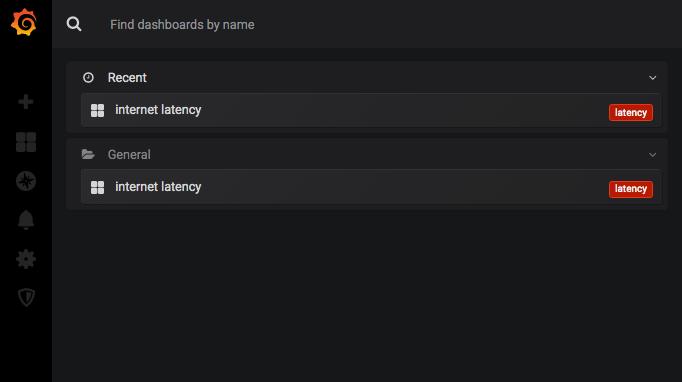
aka the network blaming tool
Every network admin hears it. “The VPN is slow.” “I can’t connect to $something.” “It worked yesterday.”
The problem: these complaints are vague. Is it the provider? A T2/T3 routing issue? The user’s local network? Without data, you’re guessing.
This tool collects data.
How to Understand if Your Network is Really Slow
Deploy a pre-configured Grafana stack that monitors internet connection statistics. Select the endpoints that matter — VPN gateways, datacenter public IPs, main DNS servers — and get a continuous picture of latency and packet loss.
Requirements: Docker and Docker Compose. That’s it.
Stack
- Telegraf — collects ping metrics every 10 seconds
- InfluxDB — stores time-series data
- Grafana — visualizes everything
├── .env
├── Makefile
├── docker
│   ├── grafana
│   │   ├── Dashboard-PING.json
│   │   ├── dashboard.yaml
│   │   └── datasource.yaml
│   ├── influxdb
│   │   └── influxdb.conf
│   └── telegraf
│       └── telegraf.conf
└── docker-compose.yml
The Makefile wraps everything: up, down, logs, clean.
Configuration
.env — credentials:
GRAFANA_USER=admin
GRAFANA_PASSWORD=EQyFJpjxvJG8k2K8
INFLUXDB_DOMAIN=influxdb
INFLUXDB_DATABASE=ping
telegraf.conf — define your endpoints:
[global_tags]

[agent]
  interval = "10s"
  round_interval = true
  metric_batch_size = 1000
  metric_buffer_limit = 10000
  collection_jitter = "0s"
  flush_interval = "10s"
  flush_jitter = "0s"
  precision = ""
  hostname = "local-telegraf"
  omit_hostname = false

[[outputs.influxdb]]
  urls = ["http://influxdb:8086"]
  database = "ping"

[[inputs.ping]]
  urls = ["1.1.1.1", "8.8.8.8", "208.67.222.222", "test1.velocable.com"]
  count = 7
  ping_interval = 1.0
Edit urls with your relevant endpoints: VPN gateway IPs, office public IPs, datacenter endpoints, DNS resolvers. The Madrid speedtest server (test1.velocable.com) is useful for European routing checks.
Startup
make updocker-compose -f docker-compose.yml up -d
Creating network "docker-latency_default" with the default driver
Creating grafana ... done
Creating influxdb ... done
Creating telegraf ... doneGrafana available at http://localhost:3000/ — credentials from .env.
The Dashboard
One row per endpoint. Latency over time, packet loss highlighted in red.
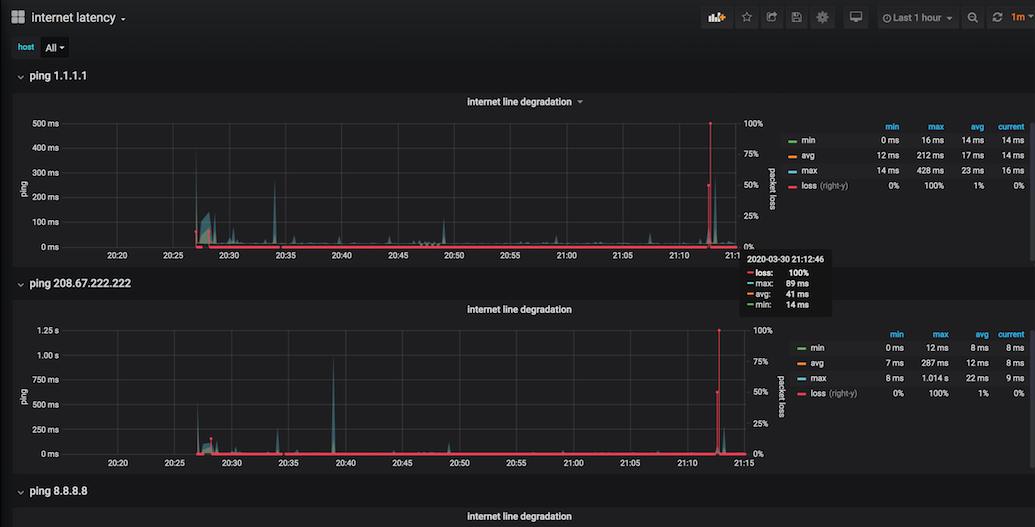
When a user says “the VPN was slow at 3pm,” you can show them exactly what happened — and whether it was the VPN endpoint, their ISP, or nothing at all.
Conclusion
Concrete data ends the blame game. When the next complaint arrives, you have 10-second resolution latency graphs going back weeks. Either there’s a problem — and now you can quantify and escalate it — or there isn’t, and the conversation ends quickly.
If it isn’t there, it can’t break. But if it is there, you should be able to prove it.