Ambient Sensor for Mere Mortal
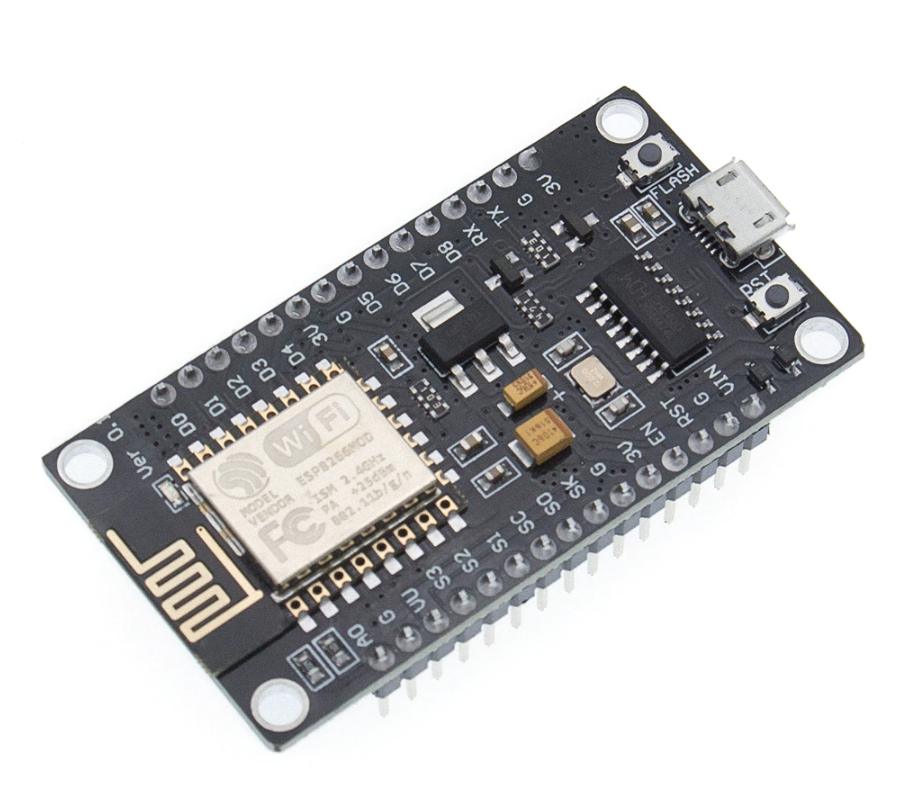
In the home automation era, I wanted to understand how simple thermal sensors actually work — not just buy a commercial solution and plug it in, but build the whole thing from scratch. Here’s what I put together.
What We Need
- ESP8266
- DHT22
- USB power supply
- InfluxDB
- Grafana
Hardware
I initially considered Arduino but followed a colleague’s suggestion to use NodeMCU instead. NodeMCU is an open source platform developed for IoT where you can compile firmware with the sensors you need. Its primary advantage is Lua support, which is significantly simpler than Arduino’s C implementation for this kind of work.
ESP8266
The ESP8266 platform has native WiFi support built in. Paired with the DHT22 sensor, it captures temperature, humidity, and calculates dew point through a mathematical formula based on those values.
DHT22
Both components are inexpensive through AliExpress:
- ESP8266: ~$3
- DHT22: ~$1
Total hardware cost: under $5.
Firmware
Using https://nodemcu-build.com/ you can create customized firmware that matches your sensor configuration. I used esptool from https://github.com/espressif/esptool to flash it:
python esptool.py -b 115200 --port=/dev/cu.wchusbserial1410 write_flash -fm=dio -fs=32m 0x0000 nodemcu-master-12-modules-2016-01-09-18-51-26-float.binLua Script
The full implementation. The key parameters you need to customize are at the top:
local SSID = "name wifi"
local SSID_PASSWORD = "password wifi"
local DEVICE = "name device"
local temperature = 20.0

wifi.setmode(wifi.STATION)
wifi.sta.config(SSID,SSID_PASSWORD)
wifi.sta.autoconnect(1)

local HOST = "server database"
local URI = "/write?db=collectd"

function build_post_request(host, uri, data_table)

     local data = data_table.Data_type .. ",device=" .. data_table.Device .. " " .. "value=" .. data_table.Value

     print(data)

     request = "POST "..uri.." HTTP/1.1\r\n"..
     "Host: "..host.."\r\n"..
     "Connection: close\r\n"..
     "Content-Type: application/x-www-form-urlencoded\r\n"..
     "Content-Length: "..string.len(data).."\r\n"..
     "\r\n"..
     data

     print(request)

     return request
end

local function display(sck,response)
     print(response)
end

local function send_data(data_type,device,value)

     local data = {
      Data_type = data_type,
      Device = device,
      Value = value
     }

     socket = net.createConnection(net.TCP,0)
     socket:on("receive",display)
     socket:connect(8086,HOST)

     socket:on("connection",function(sck)

          local post_request = build_post_request(HOST,URI,data)
          sck:send(post_request)
     end)
end

function check_wifi()
 local ip = wifi.sta.getip()

 if(ip==nil) then
   print("Connecting...")
 else
  tmr.stop(0)
  print("Connected to AP!")
  print(ip)

  local t, h, d = getTempHumi()

  print("Temp:"..t .." C\n")
  print("Humi:"..h .." RH\n")
  print("Dew:"..d .." DP\n")

  send_data("temperature", DEVICE, t)
  send_data("humidity", DEVICE, h)
  send_data("dew_point", DEVICE, d)

  tmr.alarm(0,30000,1,check_wifi)

 end

end

tmr.alarm(0,5000,1,check_wifi)

function getTempHumi()
    pin = 4
    local status,temp,humi,temp_decimial,humi_decimial = dht.read(pin)
    if( status == dht.OK ) then
      print("DHT Temperature:"..temp..";".."Humidity:"..humi)
    elseif( status == dht.ERROR_CHECKSUM ) then
      print( "DHT Checksum error." );
    elseif( status == dht.ERROR_TIMEOUT ) then
      print( "DHT Time out." );
    end
    local dewpoint= (humi/100)^(1/8) * (112 + (0.9 * temp)) - 112 + (0.1 * temp)

    return temp, humi, (string.format("%.1f", dewpoint))
end
What to Customize
local SSID = "wifi name"        -- your WiFi network name
local SSID_PASSWORD = "wifi password"  -- your WiFi password
local DEVICE = "name device"    -- name of your board/room

local HOST = "server database"  -- your InfluxDB installation
local URI = "/write?db=collectd" -- your database name
The script reads temperature and humidity every 30 seconds (tmr.alarm(0,30000,1,check_wifi)) and ships three metrics to InfluxDB: temperature, humidity, and calculated dew point.
Development Tools
ESPlorer provides a graphical interface for deploying and interacting with the NodeMCU platform. It requires Java, but it makes the development loop much smoother — you can write Lua code, upload it, and see the serial output all in one window.

Results
The system has been running since 2016. That’s not a typo — this same setup, same code, same hardware.
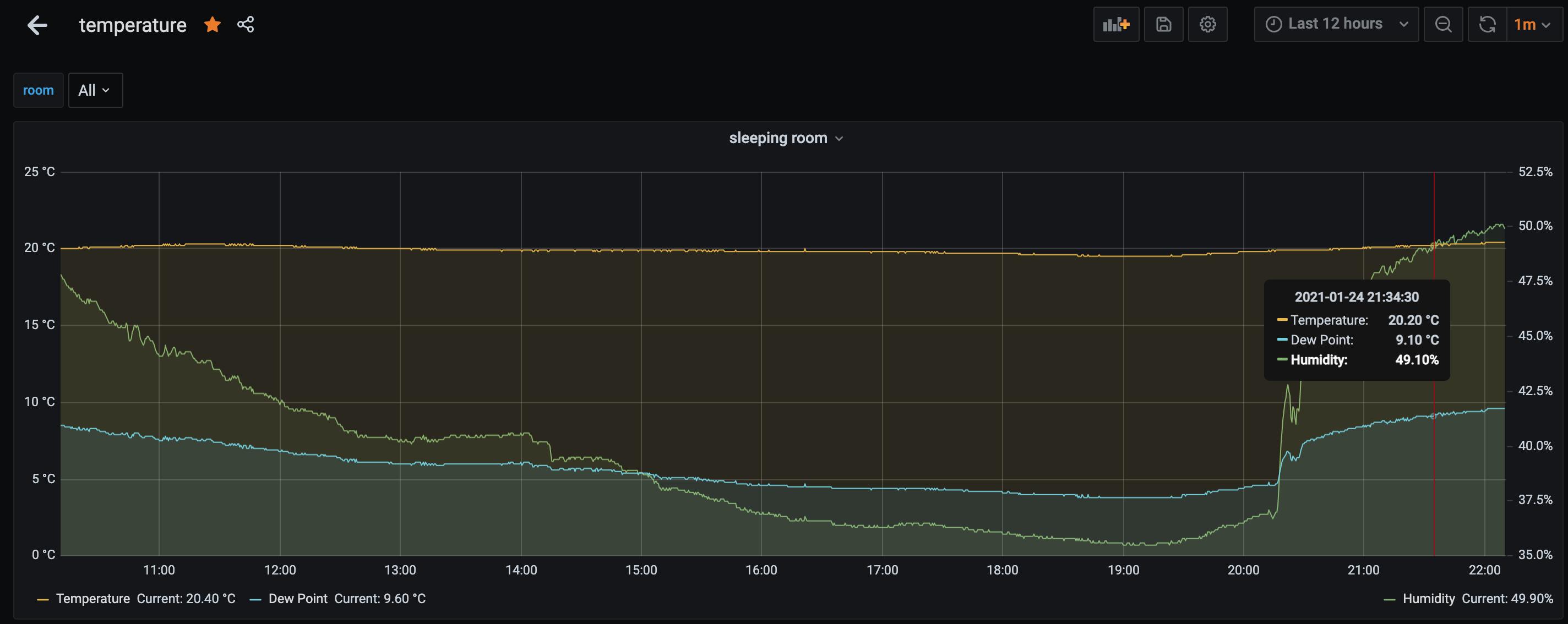
I have sensors in multiple rooms including one outside. The external sensor needs replacement about once a year — the enclosure isn’t properly waterproof and the electrical contacts oxidize progressively. That’s the only maintenance required.
For under $5 in hardware and a few hours of work, you get long-term temperature and humidity monitoring that feeds directly into Grafana. If you’re already running InfluxDB for other metrics, adding ambient sensors is almost free. And dew point calculation is a nice bonus — useful for understanding condensation risk in server rooms or storage spaces.