AD Helper: Who Is in This Group? Answering It Without Opening a Ticket
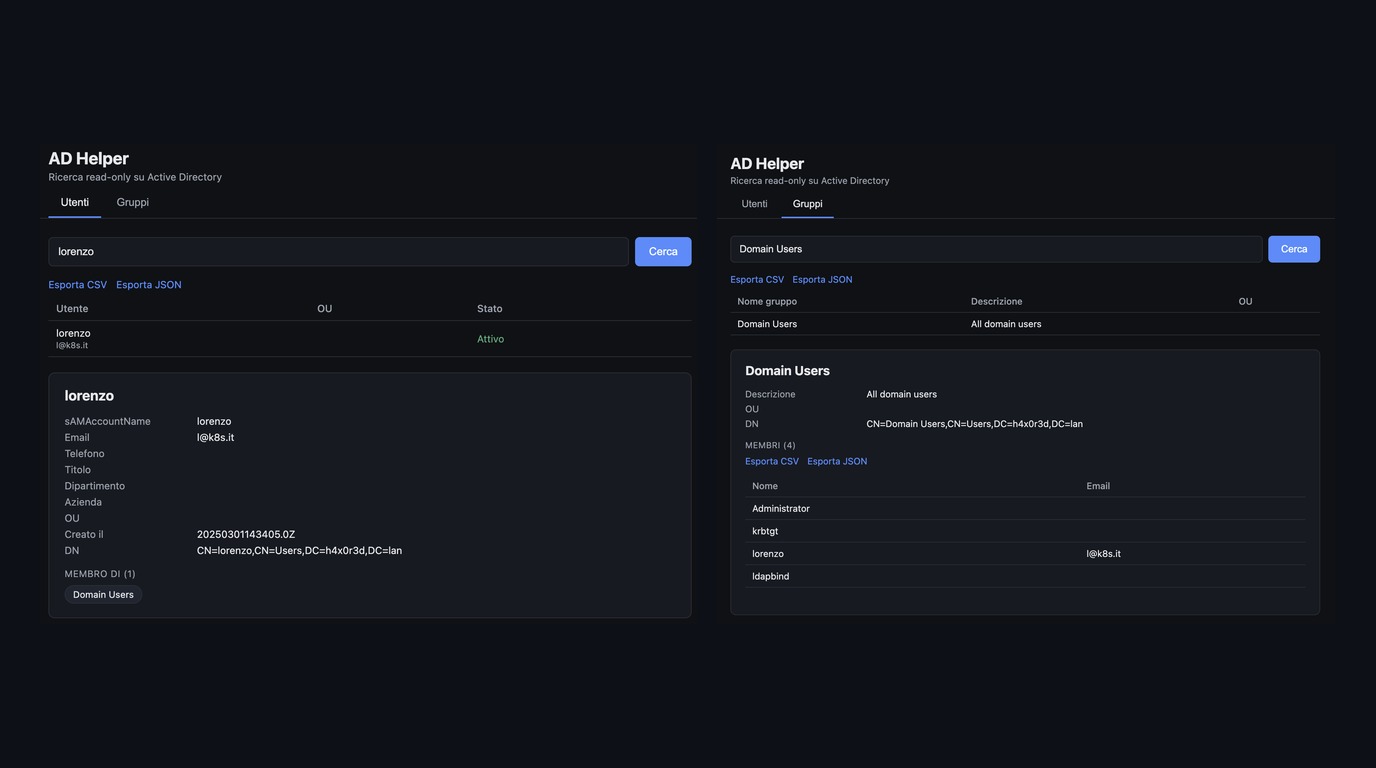
Table of Contents
- Introduction
- The Problem: A Ticket for a Question
- Enter ldapsearch
- Why a Web UI on Top of It?
- The Architecture
- Setting Up the LDAP Client
- Searching Users and Groups
- Groups With Thousands of Members: Ranged Retrieval
- Running It
- Security Considerations
- Reflections
- Conclusion
- References
Here we are, one more ticket for a question that has a one-line answer.
Introduction
Every infrastructure person knows the scene. You need to know if a colleague is in a group, or who is in a group, or in which OU an account lives. You have no access to the domain controller, no AD console, no RSAT. So you open a ticket, wait for someone to read it, and get back a screenshot two days later.
In this article I’ll walk you through AD Helper (source on GitHub), a tiny read-only web UI I built to answer exactly these questions in seconds. It starts from a simple observation: you probably can already do this, you just do not know it.
The Problem: A Ticket for a Question
The questions are always the same:
- Is user X a member of group Y?
- Who are the members of group Y?
- Which groups does user X belong to?
- In which OU does this account live, and is it disabled?
None of these are changes. They are reads. Yet in many companies the access to the AD tooling is restricted to a handful of people, and everyone else goes through the helpdesk. Multiply by the number of projects, audits and “who has access to what” reviews, and you get a lot of tickets that burn time on both sides.
Enter ldapsearch
Strange… we cannot access AD, but we can query it?
Here is the point. Unless someone hardened it on purpose, every authenticated user in a domain can read most of the directory. Users, groups, memberships, OUs: this is how Windows itself works, because clients need to resolve names and group SIDs all the time. The default permissions on the directory grant read access to “Authenticated Users” for most objects and attributes, through the built-in Pre-Windows 2000 Compatible Access group (see Default Security of the Domain Directory Partition). Even on fresh Windows Server 2022 and 2025 forests that group is pre-populated with Authenticated Users.
Notice the “unless someone hardened it”: many hardening guides suggest removing that membership, so check it in your environment. Sensitive attributes such as passwords stay protected either way.
So from any machine that reaches a domain controller on 389/636, this just works:
# members of a group, no admin rights needed
ldapsearch -LLL -H ldap://dc01.ad.example.internal \
  -D "[email protected]" -W \
  -b "DC=ad,DC=example,DC=internal" \
  "(&(objectClass=group)(cn=app-finance-readers))" member
And the classic trick to get a readable list out of the DNs:
ldapsearch -LLL -H ldap://dc01.ad.example.internal \
  -D "[email protected]" -W \
  -b "DC=ad,DC=example,DC=internal" \
  "(sAMAccountName=mrossi)" memberOf \
  | sed 's/.*CN=\([^,]*\).*/\1/'
It works. It is also the kind of command nobody remembers, with filters that need escaping and a pile of DNs in the output.
Why a Web UI on Top of It?
Naaaa, I do not want to teach the whole company LDAP filter syntax. I want people to type a name and read a table.
What I wanted from the tool:
- Read-only by design: only
searchoperations, never add/modify/delete - No LDAP client to install: runs in Docker on Mac or Windows (WSL)
- Readable output: the OU as a path (
Accounts > Italy > Users) instead of a raw DN - Exportable: CSV and JSON, because the next step is always “paste it in the audit sheet”
- Big groups supported: AD does not return more than a limited number of values per attribute in one answer
If it can’t write, it can’t break.
The Architecture
It is deliberately boring: a vanilla JS frontend, a small Express API, a thin layer of query logic and the ldapjs client.
The request flow for a user search:
- The frontend sends
GET /api/users/search?q=jane - Express validates
qand callssearchUsers adQueriesescapes the input and builds the LDAP filterldapClientopens a fresh connection, binds, searches, always unbinds- Entries are mapped to
{ dn, sAMAccountName, displayName, mail, ou, disabled }and returned as JSON
The container publishes the port only on 127.0.0.1, so it is reachable just from the machine running Docker.
Setting Up the LDAP Client
One connection per request, bound, used, unbound. No pools, no long-lived sessions to leak. For a helper used by a few people, simple wins.
async function withClient(fn) {
  const { url, bindDN, bindPassword } = getConfig()
  const client = ldap.createClient({
    url,
    reconnect: false,
    timeout: 15000,
    connectTimeout: 10000,
  })

  try {
    await new Promise((resolve, reject) => {
      client.bind(bindDN, bindPassword, (err) => (err ? reject(err) : resolve()))
    })
    return await fn(client)
  } finally {
    client.unbind(() => {})
  }
}
Credentials come from environment variables, or from files (Docker secrets) with AD_BIND_PASSWORD_FILE taking priority. A SizeLimitExceededError is not treated as a failure: the API returns what it got plus a truncated: true flag, and the UI shows a warning.
Searching Users and Groups
The user filter looks into the four places people actually remember:
const filter =
  `(&(objectClass=user)(objectCategory=person)` +
  `(|(sAMAccountName=*${v}*)(cn=*${v}*)(mail=*${v}*)(displayName=*${v}*)))`
Two small details make the output useful.
The OU path is extracted from the DN, root first:
// "CN=Jane Doe,OU=Users,OU=Italy,OU=Accounts,DC=ad,..." -> "Accounts > Italy > Users"
function parseOU(dn) {
  const ous = dn.split(',').map((p) => p.trim())
    .filter((p) => p.toUpperCase().startsWith('OU='))
    .map((p) => p.slice(3))
  return ous.reverse().join(' > ')
}
And the disabled flag comes from bit 0x2 of userAccountControl, so you see at a glance that the account of someone who left is still listed in a group.
Since the search term goes straight into an LDAP filter, it is escaped (\, *, (, ) and NUL) before use. Never skip this, LDAP injection is real.
Groups With Thousands of Members: Ranged Retrieval
This is the part that made me crazy for an afternoon. A big group answered with a clean, wrong list. Where were the other members?
AD splits large multi-valued attributes into chunks, limited by the MaxValRange policy (MS-ADTS, Range Retrieval of Attribute Values). Asking for member on a large group gives you only member;range=0-1499. To get the rest you have to ask again for the next range, until the answer ends with -*:
// member;range=0-999, member;range=1000-1999, ... member;range=N-*
async function rangedSearch(client, dn, attrName) {
  let all = []
  let start = 0
  const pageSize = 1000

  while (true) {
    const { entries } = await search(client, dn, '(objectClass=*)', [
      `${attrName};range=${start}-${start + pageSize - 1}`,
      `${attrName};range=${start}-*`,
      attrName,
    ])
    if (entries.length === 0) break
    const key = Object.keys(entries[0]).find((k) => k.startsWith(`${attrName};range=`))
    if (!key) {
      all = all.concat(entries[0][attrName] || [])
      break
    }
    all = all.concat(entries[0][key])
    if (key.endsWith('-*')) break
    start += pageSize
  }
  return all
}
Then the member DNs are resolved to mail, account name and status in batches of 200 with a single OR filter per chunk, instead of one query per member. For a group of a few thousand people it is the difference between a second and a coffee break.
Running It
Clone the repo, copy .env.example to .env, fill the values, start:
# .env
AD_URL=ldaps://dc01.ad.example.internal
AD_BASE_DN=DC=ad,DC=example,DC=internal
AD_BIND_DN=[email protected]
AD_BIND_PASSWORD_FILE=/run/secrets/adhelper
docker compose up --build
# then open http://localhost:3080The API is usable from scripts too, which is handy for audits:
curl -s "http://localhost:3080/api/groups/search.json?q=app-finance" | jq '.[].cn'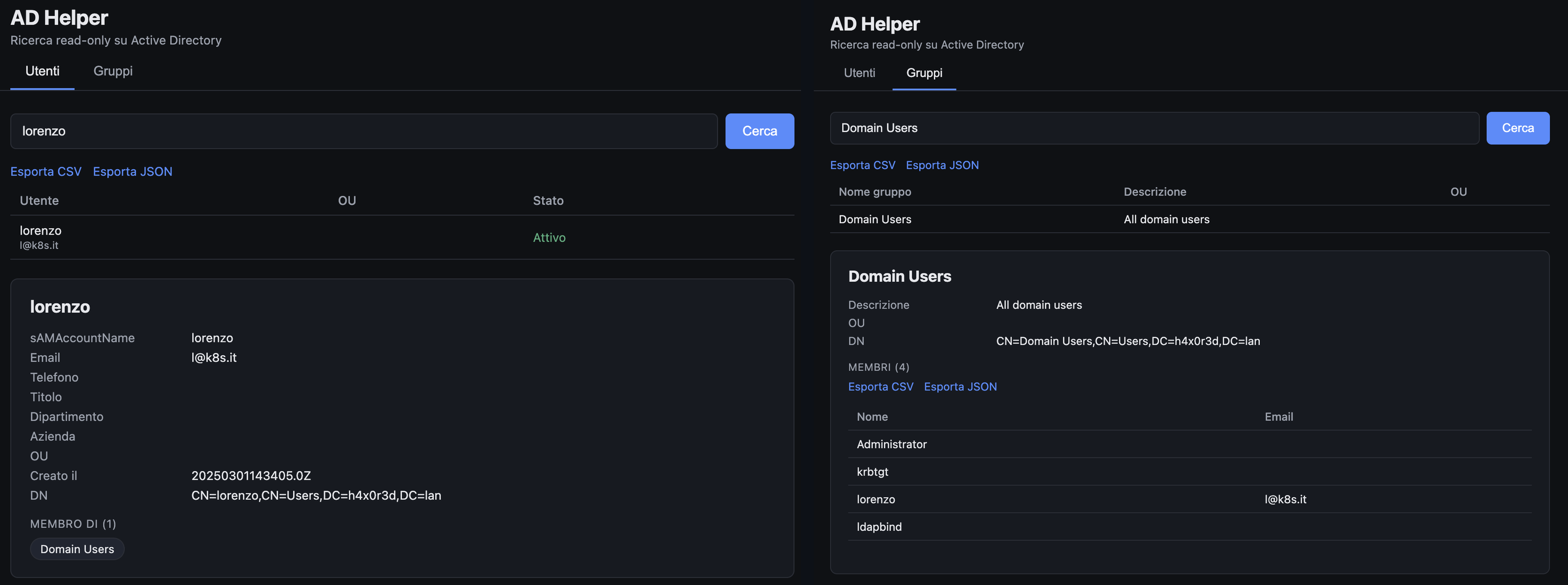
User detail on the left, group members on the right, with CSV and JSON export one click away. Domain Users lists the same four accounts that the ADUC console shows, including the ones that have it only as primary group: AD does not list them in the member attribute, so the tool resolves them through primaryGroupID.
Security Considerations
A tool that reads the whole directory deserves some care.
- Read-only by construction. The code only issues
search. The account should also be read-only on the AD side, never reuse an admin. - Bind to localhost only. The compose file publishes
127.0.0.1:3080. Do not put it behind a public reverse proxy without authentication. - Use LDAPS. With
ldap://the bind password travels in clear.AD_DISABLE_TLS_CHECKexists for tests only. - Keep secrets out of the image. Use
*_FILEvariables and Docker secrets instead of baking passwords in.envfiles you commit. - Escape every filter input. Already done, keep it that way when you extend the queries.
Reflections
Honest critique time.
The first version binds with a shared service account. That means the directory is read with the account’s rights and everyone using the tool looks like the same identity in the DC logs. It is fine for a personal helper on a laptop. For a team tool, the better design is to bind with the user’s own credentials, so the tool can never show more than that person could already see with ldapsearch, and the audit trail stays meaningful.
And the bigger point: this tool does not bypass anything. It uses a permission that the default directory ACLs already give to every user. If your security team does not want this visibility, the right fix is to tighten the ACLs, not to hope nobody knows ldapsearch.
What is still missing:
- Nested group resolution (members that are groups are shown, not expanded)
- Per-user authentication in front of the UI
- Query audit log
Conclusion
Most of the “I need access” tickets are really “I need an answer”. The directory already knows the answer and, by default, it is willing to tell anyone in the domain. AD Helper just removes the friction: no client to install, no filter to remember, no waiting for someone else to take a screenshot. Read-only, small, and the whole thing fits in four source files.
If you are working on similar automation, you may also like Lazy People Do It Better.
References
The tool:
Default read access for authenticated users:
- Default Security of the Domain Directory Partition (Microsoft TechNet)
- Understanding the Risks of Pre-Windows 2000 Compatibility Settings in Windows 2022 (Semperis)
- Built-in Misconfigurations: Pre-Windows 2000 Compatible Access (Vidra Sec)
- Active Directory Hold-up: give me all the information, I’m “Authenticated Users” (Hackfest)
- Designing a Secure Active Directory (ADMIN Magazine)
Ranged attribute retrieval: